Setting Up Customer Sync Preferences
Customer Search Field
Define how customer data is synchronized between Shopify and Xero. Choose a unique field, like email or VAT number, to prevent duplicates. A new customer is created only when the customer is not found in Xero by the defined search parameter.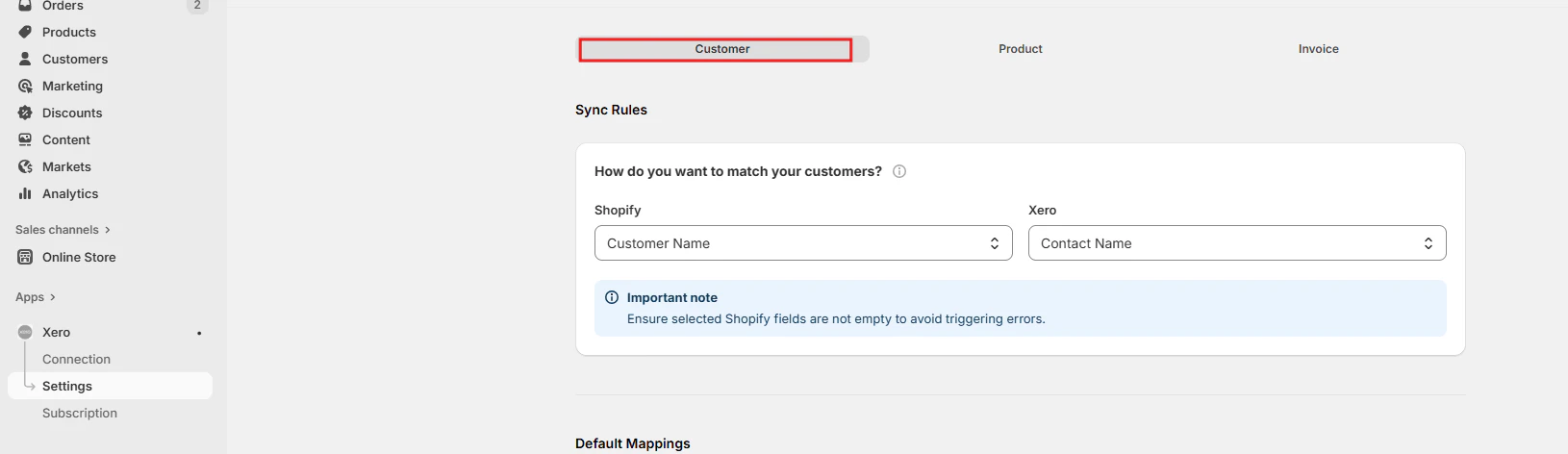
Customer Default Mappings
Set default values for Currency, Branding theme Invoice due date, Sales account, Invoice due date and Sales default amounts. These default values apply when new customers are created in Xero.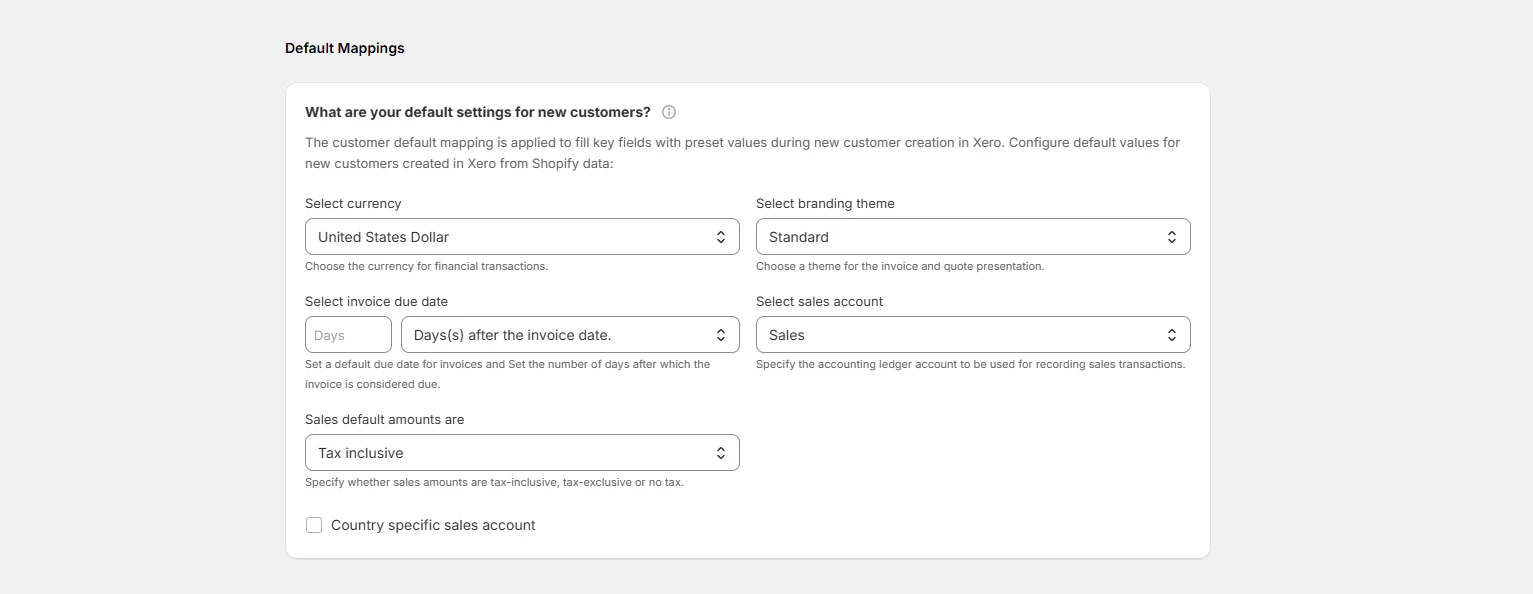
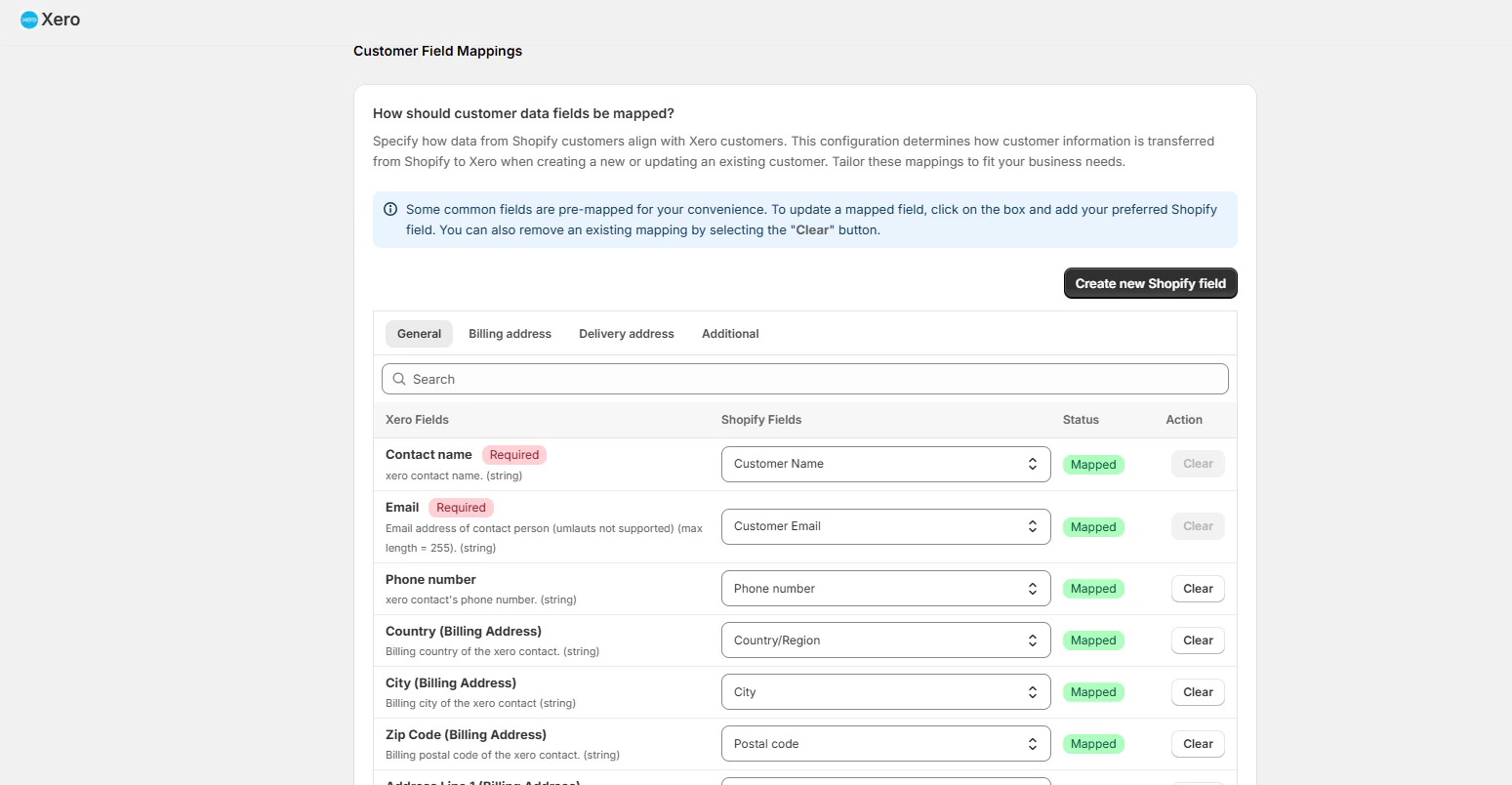
How should customer data fields be mapped?
Customize the data transfer from Shopify to Xero to ensure accurate synchronization when a new customer is being created in Xero from Shopify. Some fields are mapped by default. Click “Create new Shopify field” if you want to add any new mapping fields to the window.