Setting up Product Sync Preferences
Here, you can define your preferences based on which product sync is performed between Shopify and Xero.Product Search
You have two choices when performing product sync in Xero:- Choose which product fields can be used to perform a search during invoice creation in Xero.
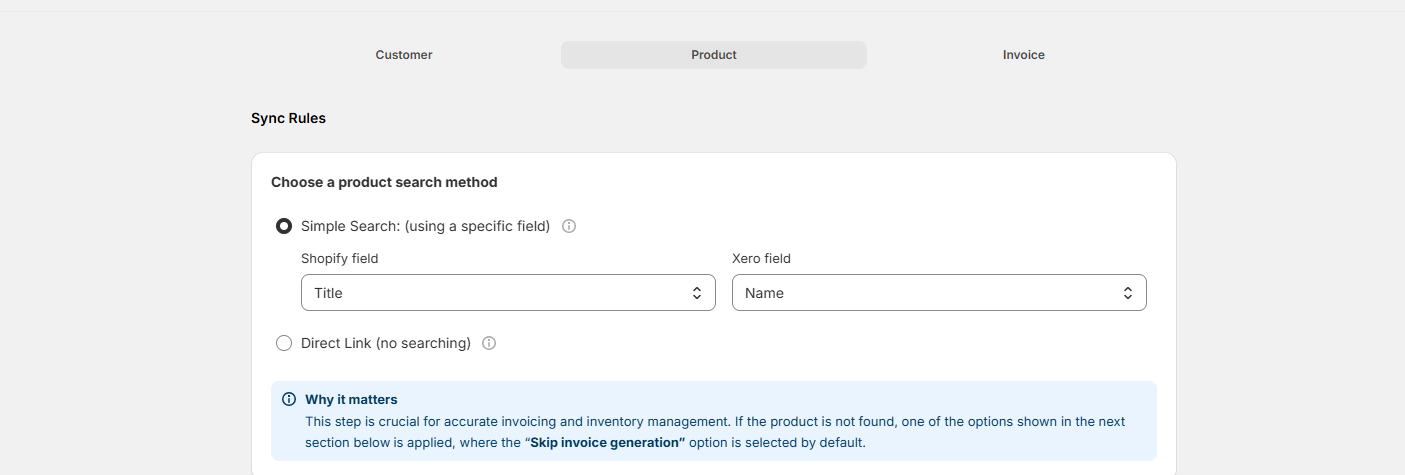
- Direct Link for syncing product information. Here you can manually link a product from Shopify to a specific product in Xero. Best for smaller product catalogs where you want precise control.

This section is only applicable if you’ve chosen to create new products when not found.
Product Not Found in Xero
- If you select “Skip Invoice Generation”, no invoice will be generated.
- If you select Use Default product, you can select an existing product to be used for invoice generation.

Tax Settings
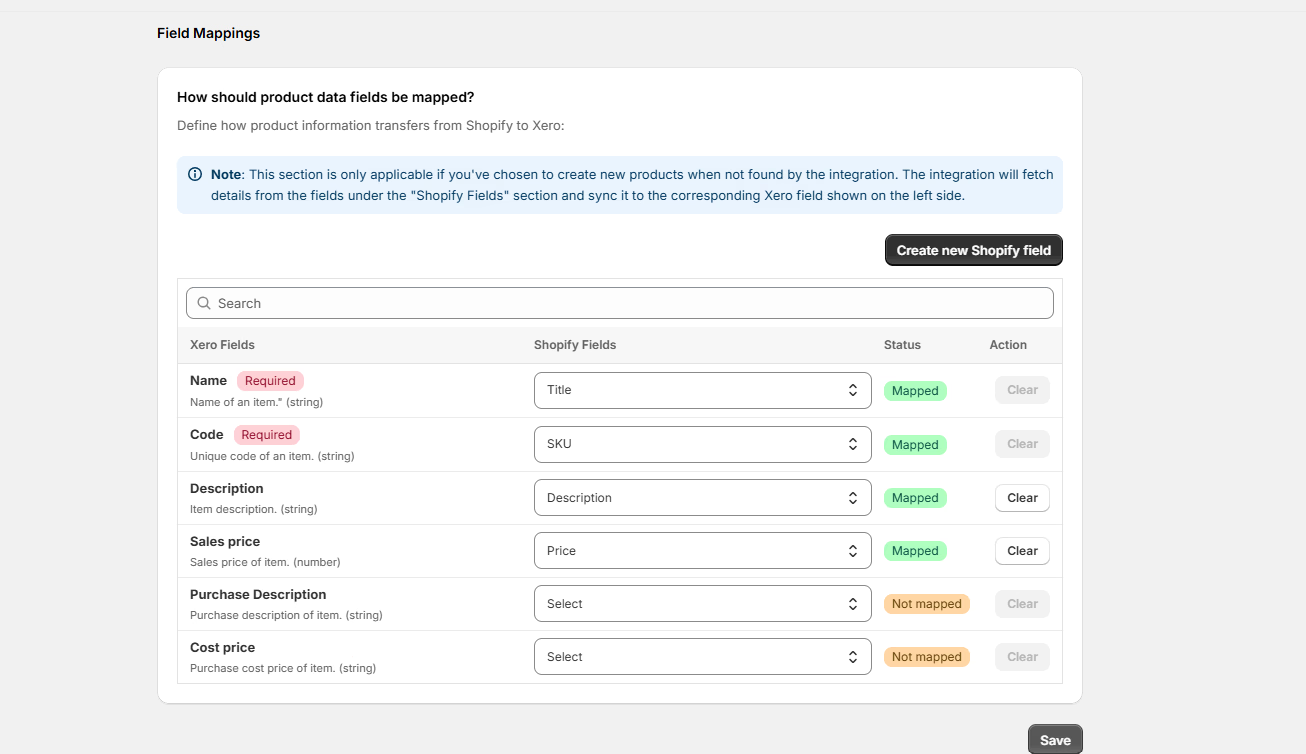
Enable this checkbox to remove taxes applied on Shopify order while creating Xero invoice. Only relevant Xero tax will be applied on the invoice if checkbox is enable. Cloudify does not perform any tax calculations. It depends on your existing tax settings in Xero.How should product data fields be mapped?
Define the field mappings from Shopify to Xero for invoice creation. The selected fields will be mapped. Some fields are mapped by default.