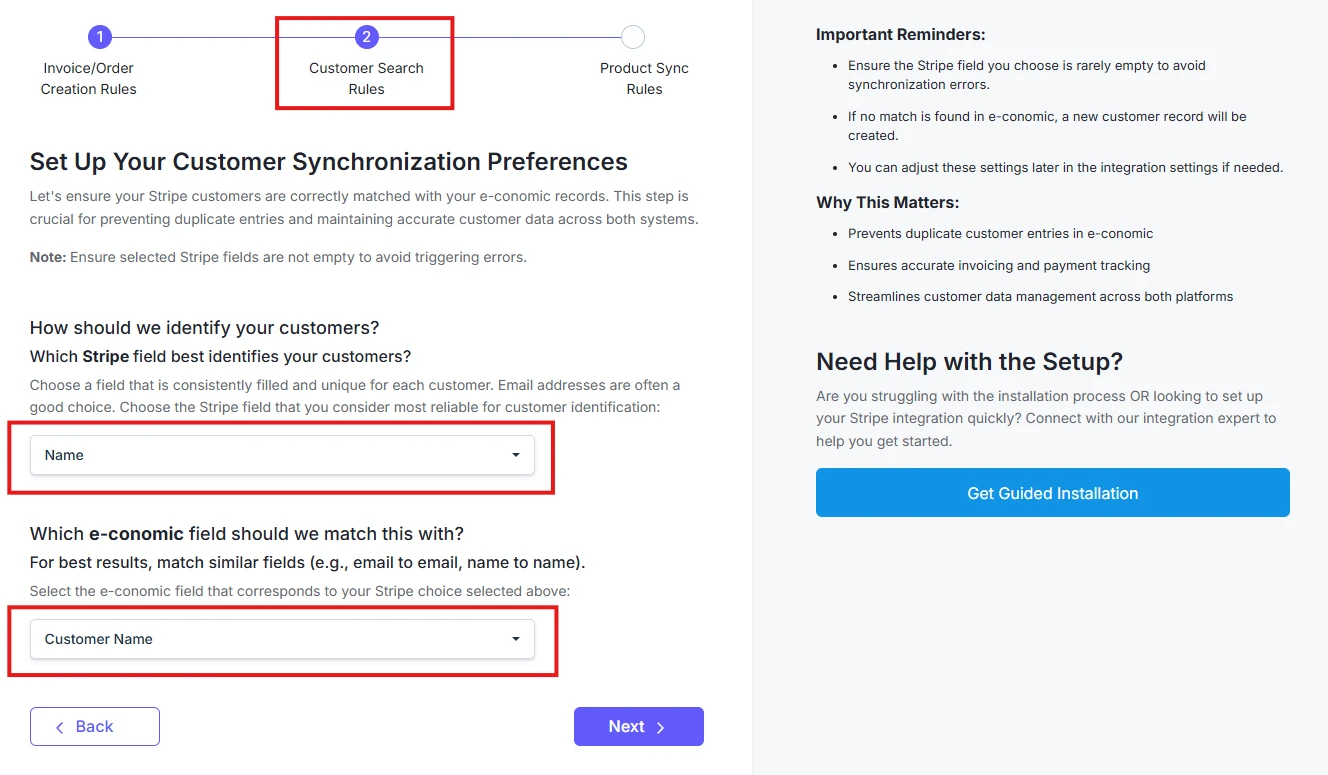
Configure Customer Matching
Choose how customers should be matched between Stripe and e-conomic: 1. Select your primary identifier in Stripe:- Customer Name
- Email Address
- Phone Number, or any
- Custom Field
- Select corresponding e-conomic field
- Click on “Next” once done