

Product Matching Method
Choose your preferred product matching approach.Simple Search
Use Simple Search when you want to match products using a specific field such as Name or SKU. This option lets you define matching rules and use product data consistently across both systems.
Direct Link
Use Direct Link when you want to manually connect Stripe products to e-conomic products one-to-one. This option is ideal for smaller product catalogues where you want more precise control over each mapping.
You can only use one product search method at a time: Simple Search or Direct Link.
Product Not Found Handling
Under Advanced settings, choose what should happen when a Stripe product is not found in e-conomic.Skip Invoice Generation
Choose this option if you do not want an invoice to be created when the matching product cannot be found. This helps prevent incorrect invoices and keeps product accounting more controlled, but it may require manual intervention.
Use A Default Product
Choose this option if you want to replace the missing product with a predefined product in e-conomic. The integration will use the product number from the selected default product, while the other line-item details such as name, quantity, and price will still come from Stripe.
Create A New Product In e-conomic
Choose this option if you want the integration to automatically create a new product in e-conomic based on the Stripe product. You also need to choose the product group that should be used for newly created products.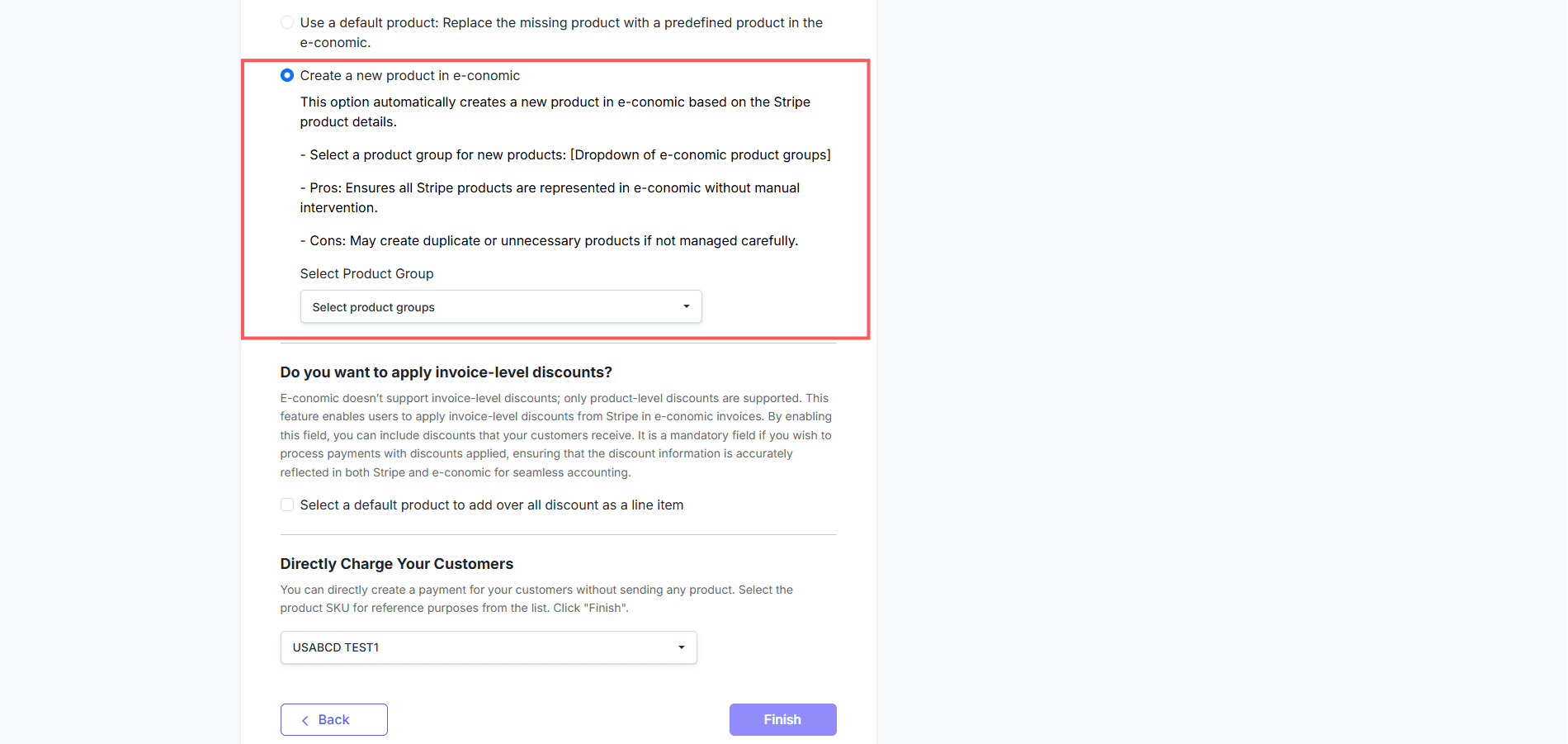
Additional Product Settings
Apply Invoice-Level Discounts
You can enable invoice-level discounts even though e-conomic only supports product-level discounts. When enabled, the integration adds the overall discount as a line item so the discount information is reflected correctly in both Stripe and e-conomic.Directly Charge Your Customers
You can also create a payment for your customers without sending any product. To do this, select the product SKU that should be used for reference purposes, then click Finish.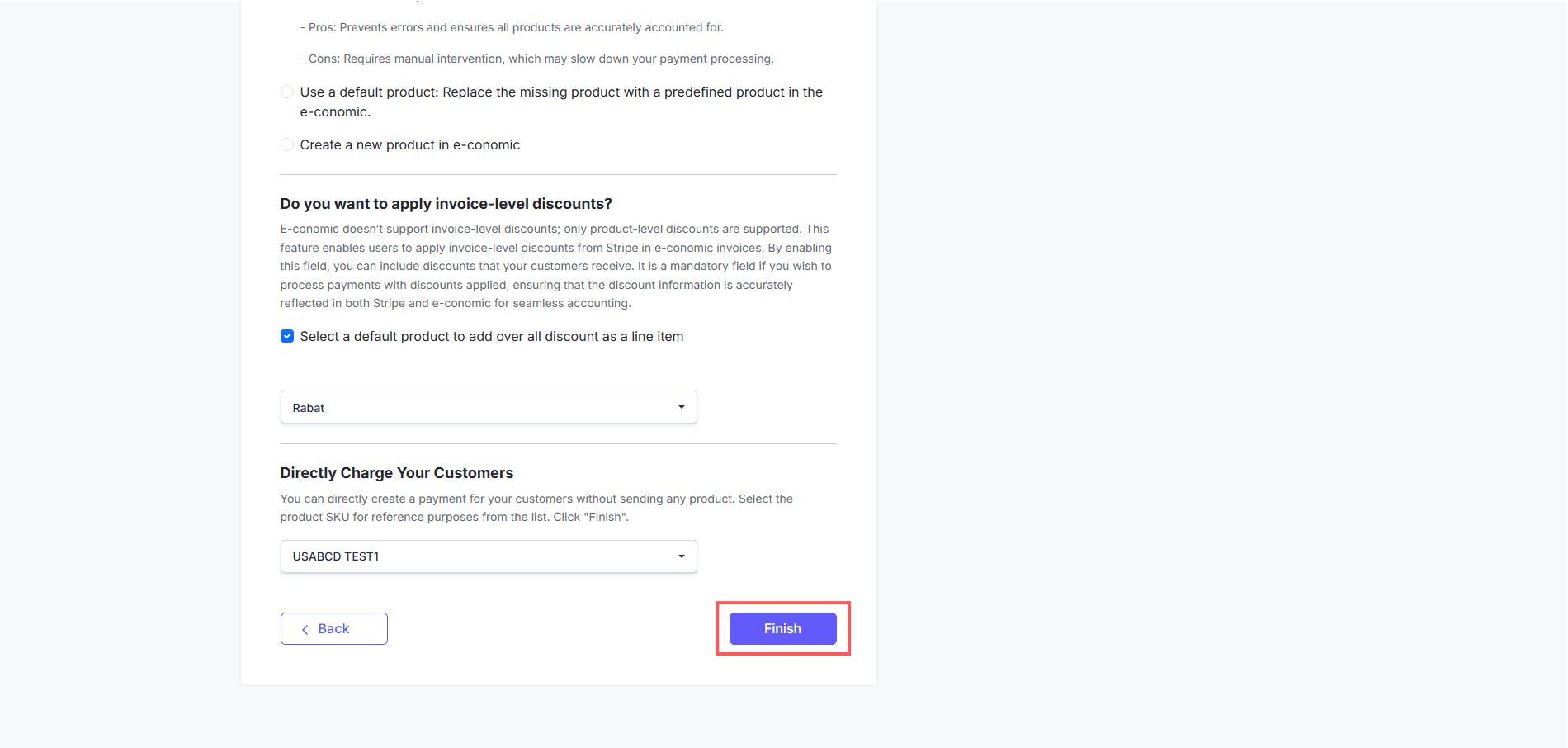
You can always change these settings later if your business needs change.
Need Something More Advanced?
Cloudify can help with tailored integrations, specialised data mappings, and workflow automations.