

Why Invoice/Order Sync Rules Matter
- Automate invoice/order creation: Trigger invoice or order creation in Fortnox at the right moment in your sales process.
- Ensure data consistency: Automatically create or update customer information in Fortnox based on your HubSpot deals.
- Save time: Eliminate manual data entry and reduce the risk of errors.
Setting Up Invoice/Order Sync Rules
1
Navigate to the “Invoice/Order Sync Rules” tab in your integration settings.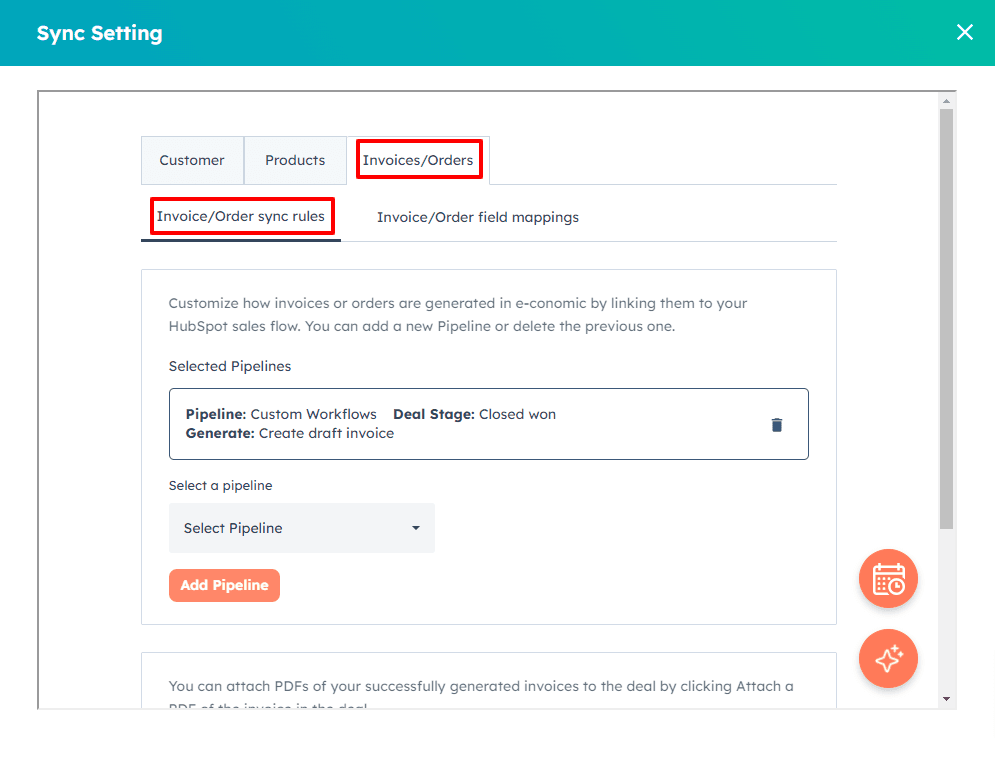
2
Click “Add Pipeline” to create a new rule.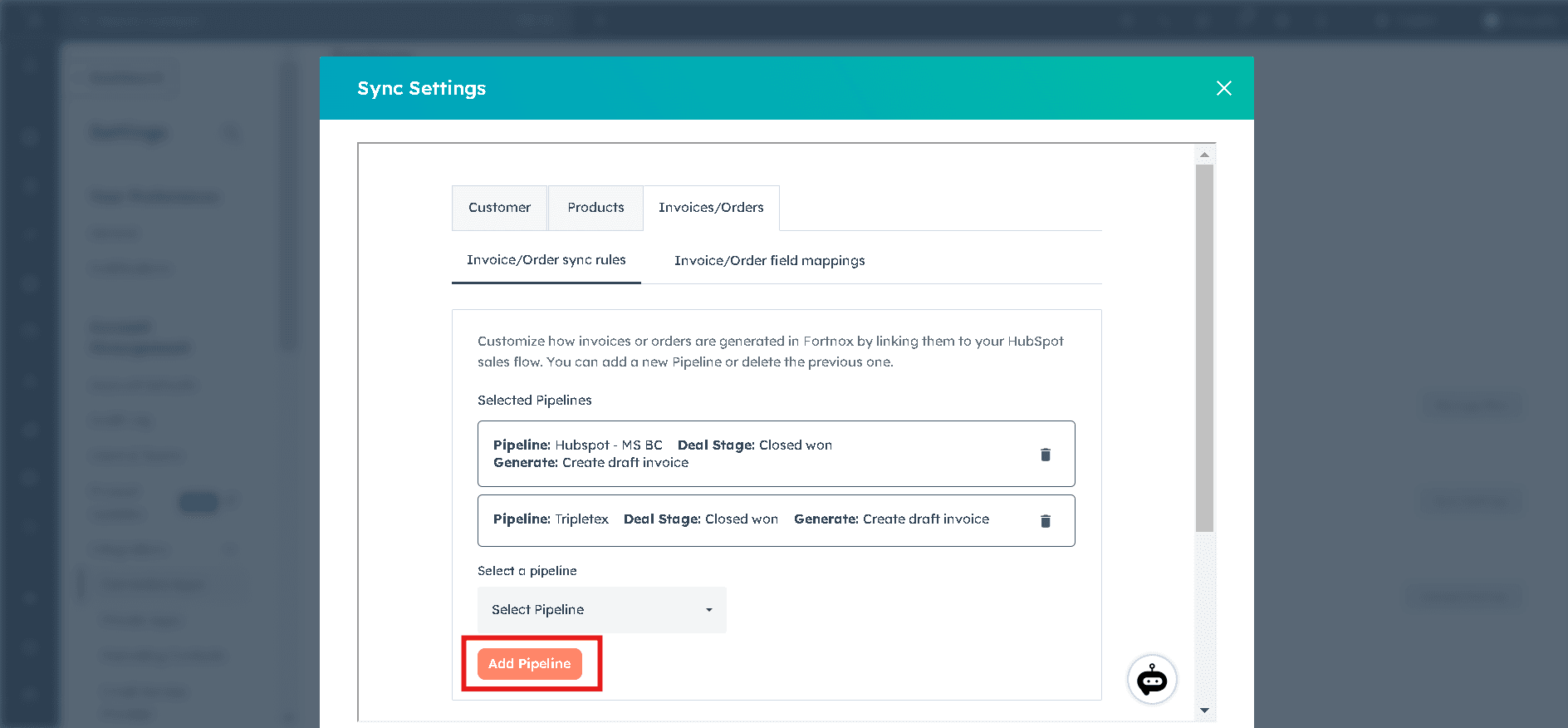
3
For each rule, define the following three elements: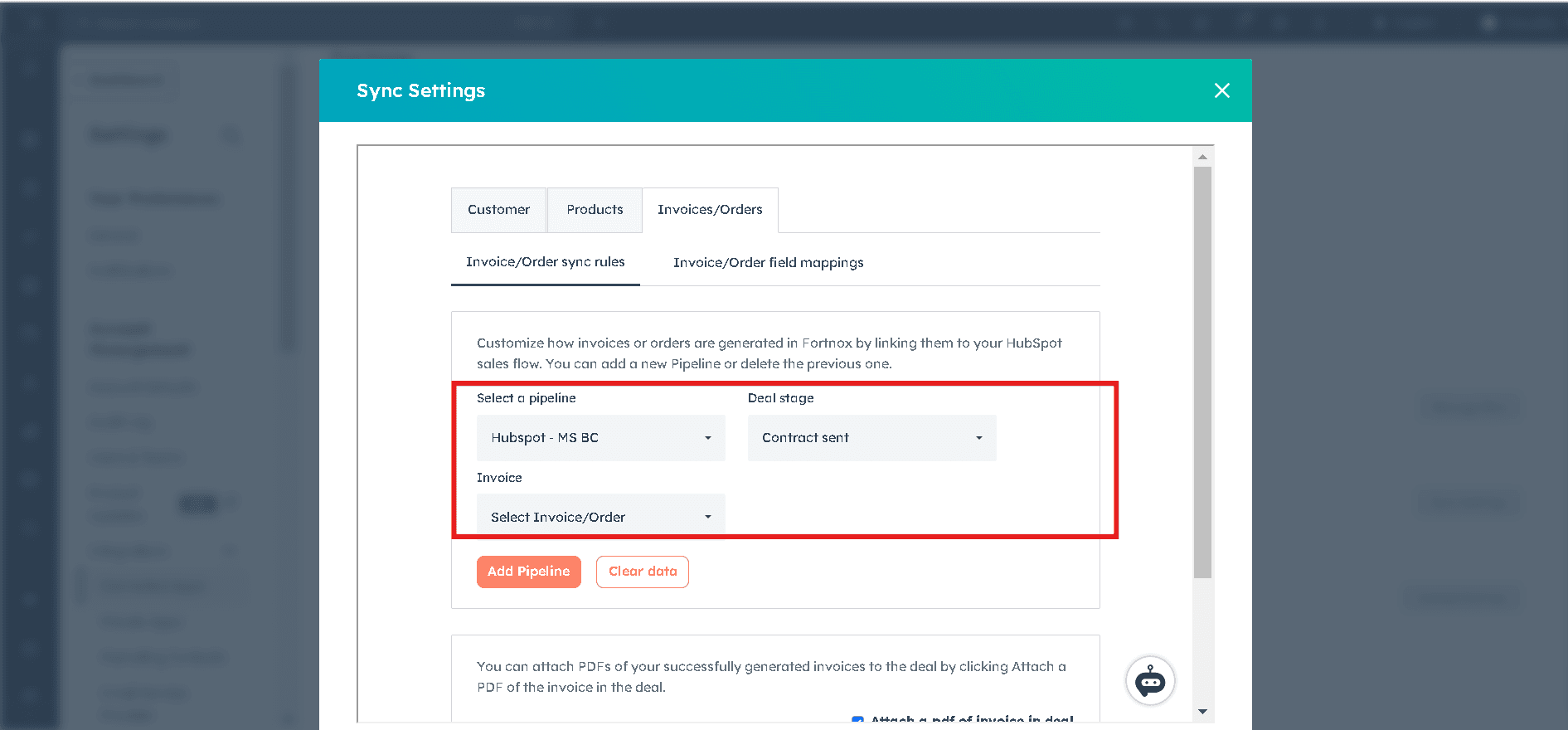
- Pipeline — Select the HubSpot pipeline you want to trigger from.
- Deal Stage — Choose the specific stage in the pipeline that will trigger the integration.
- Generate — Decide whether to create a draft invoice or a draft order in Fortnox.
4
You can add multiple rules for different pipelines or stages as needed.
5
After setting up your rules, click “Save” to apply your changes.
Invoice/Order Field Mappings
Why Invoice/Order Field Mappings Matter
- Ensure data consistency: Match the right information between HubSpot and Fortnox.
- Customize for your needs: Adapt the integration to fit your unique invoicing process.
- Save time: Automate the transfer of invoice data, reducing manual entry and potential errors.
- Guarantee accuracy: Correct field mapping is crucial for ensuring accurate invoices in Fortnox.
Setting Up Invoice/Order Field Mappings
1
Navigate to the “Invoice/Order Field Mappings” tab in your integration settings.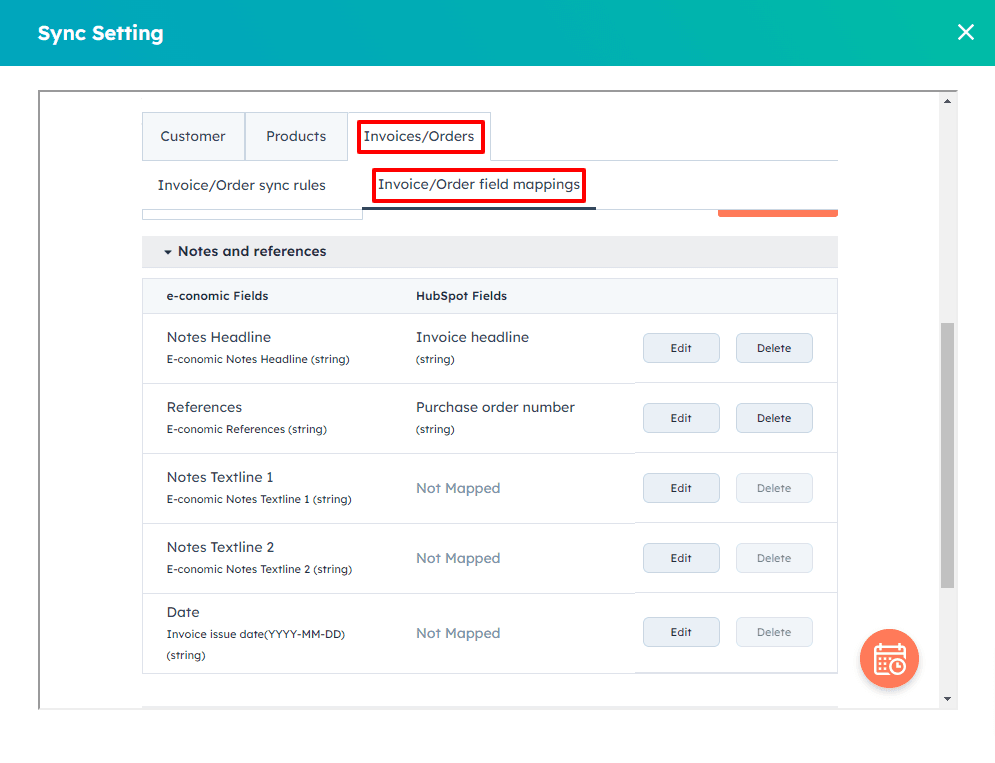
2
The mappings are divided into three main areas:
- Notes and References
- Delivery Address
- Billing Address
3
For each Fortnox field, the default HubSpot field will be shown (if applicable). Click “Edit” to change the mapping or “Delete” to remove it.
4
Pay special attention to these key mappings:
- Notes Headline — mapped to Invoice headline in HubSpot
- References — mapped to Purchase order number in HubSpot
- Date — Invoice issue date
- Delivery and Billing address fields
5
After setting your preferred mappings, click “Save” to apply your changes.
Correct field mapping is essential for ensuring accurate invoices in Fortnox. Take the time to review and optimize these mappings regularly. If you’re unsure about which fields to map or how to handle specific scenarios, don’t hesitate to reach out to our support team.