

Company Matching Criteria
1
From the “HubSpot Company Identifier” dropdown, select the HubSpot field you want to use for matching (e.g., Company Name, Email).
2
From the “Fortnox Company Field” dropdown, select the corresponding field in Fortnox. This ensures both platforms refer to the same company data when syncing, maintaining consistency across systems.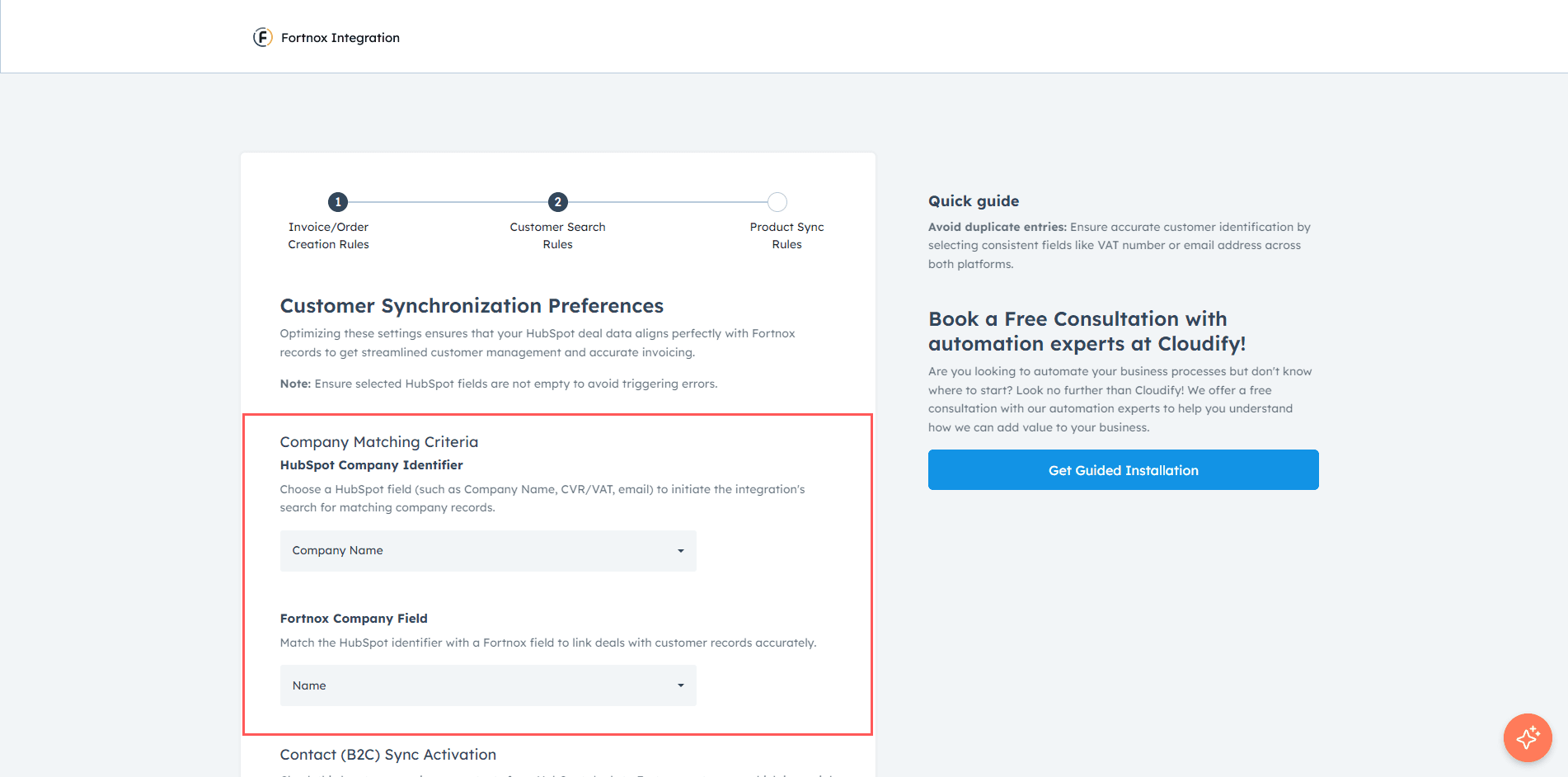
Enable Primary Contact Sync
This feature is essential for businesses dealing directly with consumers, allowing individual contacts from HubSpot to be added to Fortnox as customers when there is no associated company.1
If your contacts are not associated with a company, check “Enable Primary Contact Sync”.
2
From the “HubSpot Contact Identifier” dropdown, select the HubSpot field that uniquely identifies your contacts (e.g., person name or email).
3
From the “Fortnox Contact Field” dropdown, select the corresponding field in Fortnox to match and identify the same contact. This should also be a unique identifier such as an email address or customer number.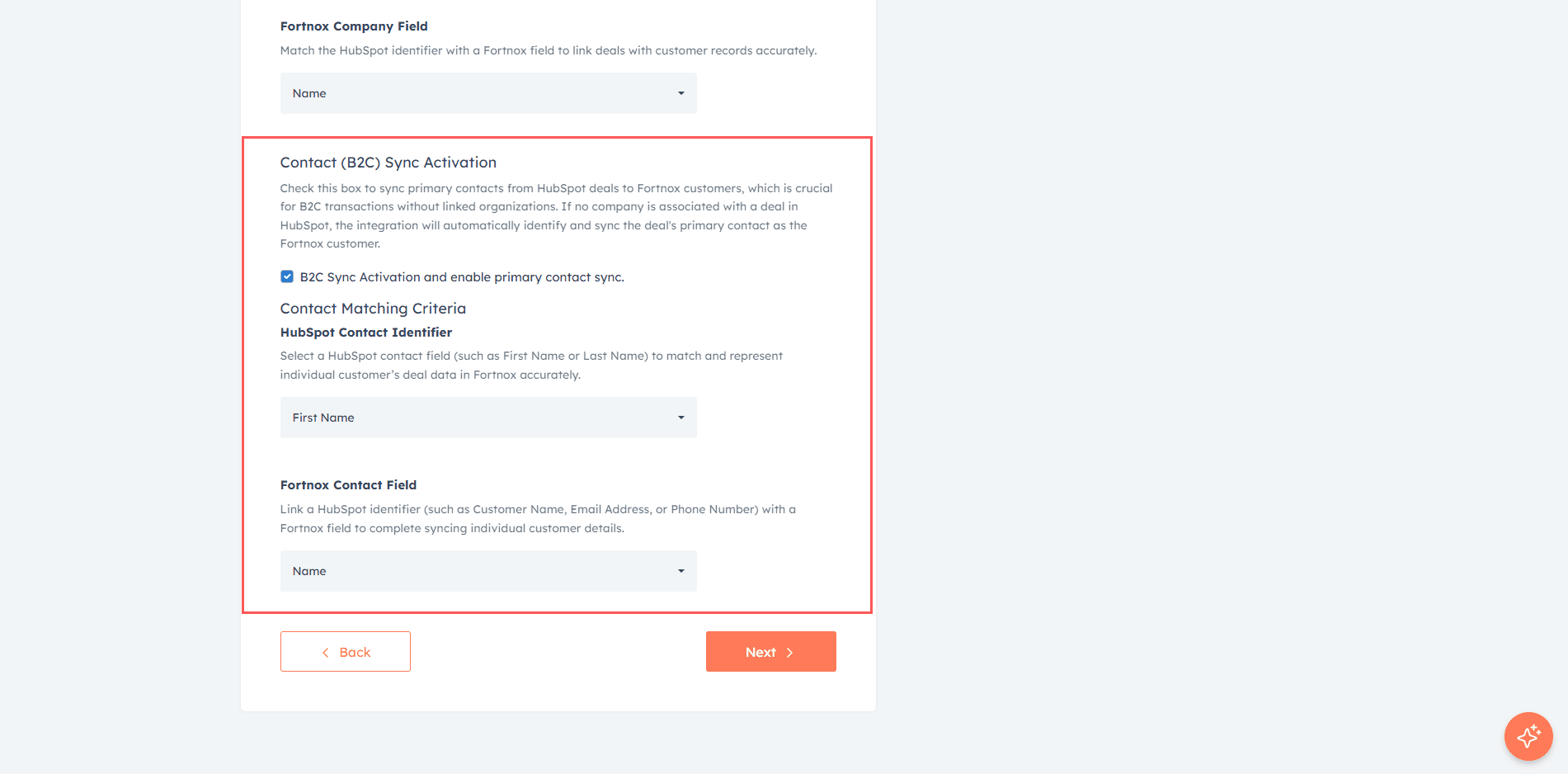
4
Click “Next”.