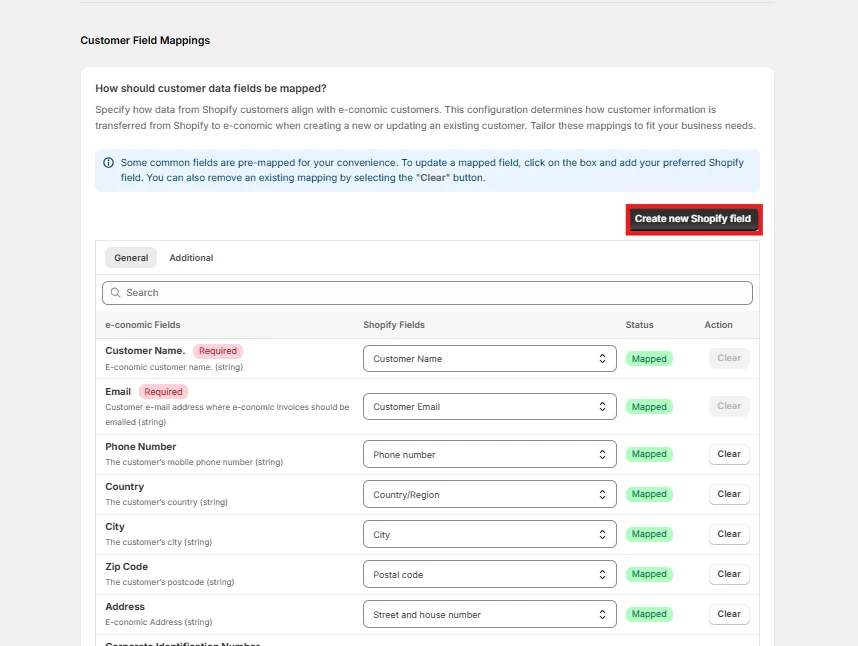
Why Customer Sync Matters
Customer synchronization ensures that your customer data remains consistent across both Shopify and e-conomic. This alignment is crucial for:- Accurate invoice generation
- Consistent customer communication
- Streamlined customer service
How do you want to match your customers?
What It Does This setting determines how the integration identifies the same customer across both systems. Think of it as teaching the system how to recognize “John Smith” in Shopify is the same person as “John Smith” in e-conomic. Why it’s Important- Prevents duplicate customer records
- Ensures accurate financial history
- Maintains clean customer database
- Enables proper invoice tracking
How do you want to handle customer numbers?
“Let e-conomic create customer number” (Recommended)
- Ensures unique numbering
- Follows e-conomic’s numbering system
- Prevents conflicts
- Maintains accounting consistency
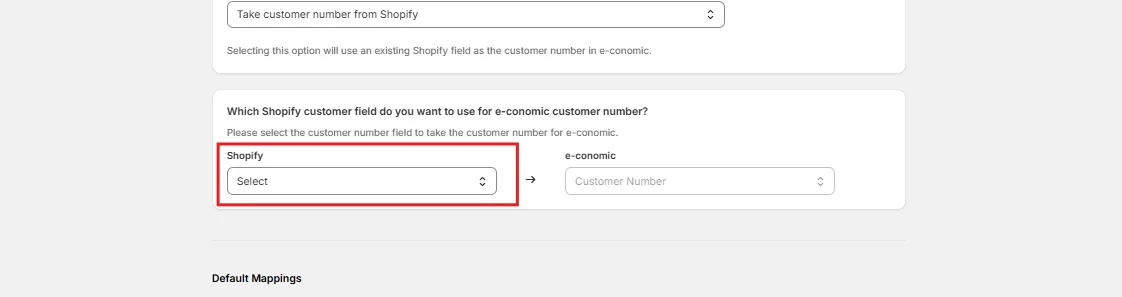
How do you want to handle customer numbers?

- Maintains existing customer references
- Useful when Shopify is your primary system
- Better for businesses transitioning from Shopify-only operations
Select relevant Shopify Field for e-conomic customer number
-
Click on “Save” and move to “Customer Default Mappings”
Customer Default Mappings
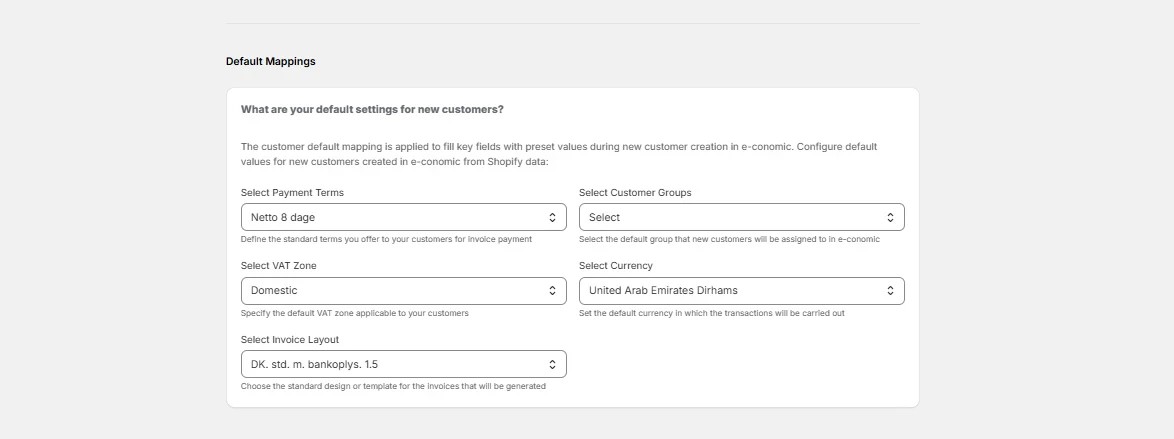
- Consistency in customer records
- Proper accounting categorization
- Correct tax handling
- Appropriate payment terms
- Defines when and how customers should pay
- Affects cash flow management
- Sets customer expectations
- Enables segmentation for reporting
- Affects pricing rules
- Influences accounting categorization
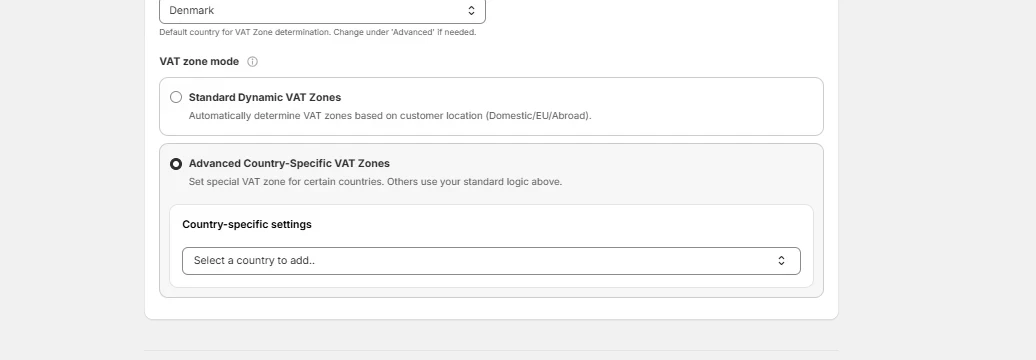
VAT zone mode
Configure VAT Zones automatically or define country-specific VAT Zones for your e-conomic customers & invoices. Standard Dynamic VAT Zones- Automatically assigns VAT zones based on the customer’s billing country.
- Domestic, EU, and abroad customers are handled without any manual setup.
- Specify a custom VAT zone for selected countries.
- All other countries will still use your standard dynamic VAT logic.
How should customer data fields be mapped?
Customize the data transfer from Shopify to e-conomic to ensure accurate synchronization when a new customer is being created in e-conomic from Shopify. Some fields are mapped by default. Click “Create new Shopify field” if you want to add any new mapping fields to the window.