

Setting up the Shopify to Visma e-conomic Integration
Now that you’ve installed the app and connected your accounts, it’s time to configure how information flows between Shopify and Visma e-conomic. With this guide, you will be able to customise your app further if needed.To find the settings page
And you have arrived.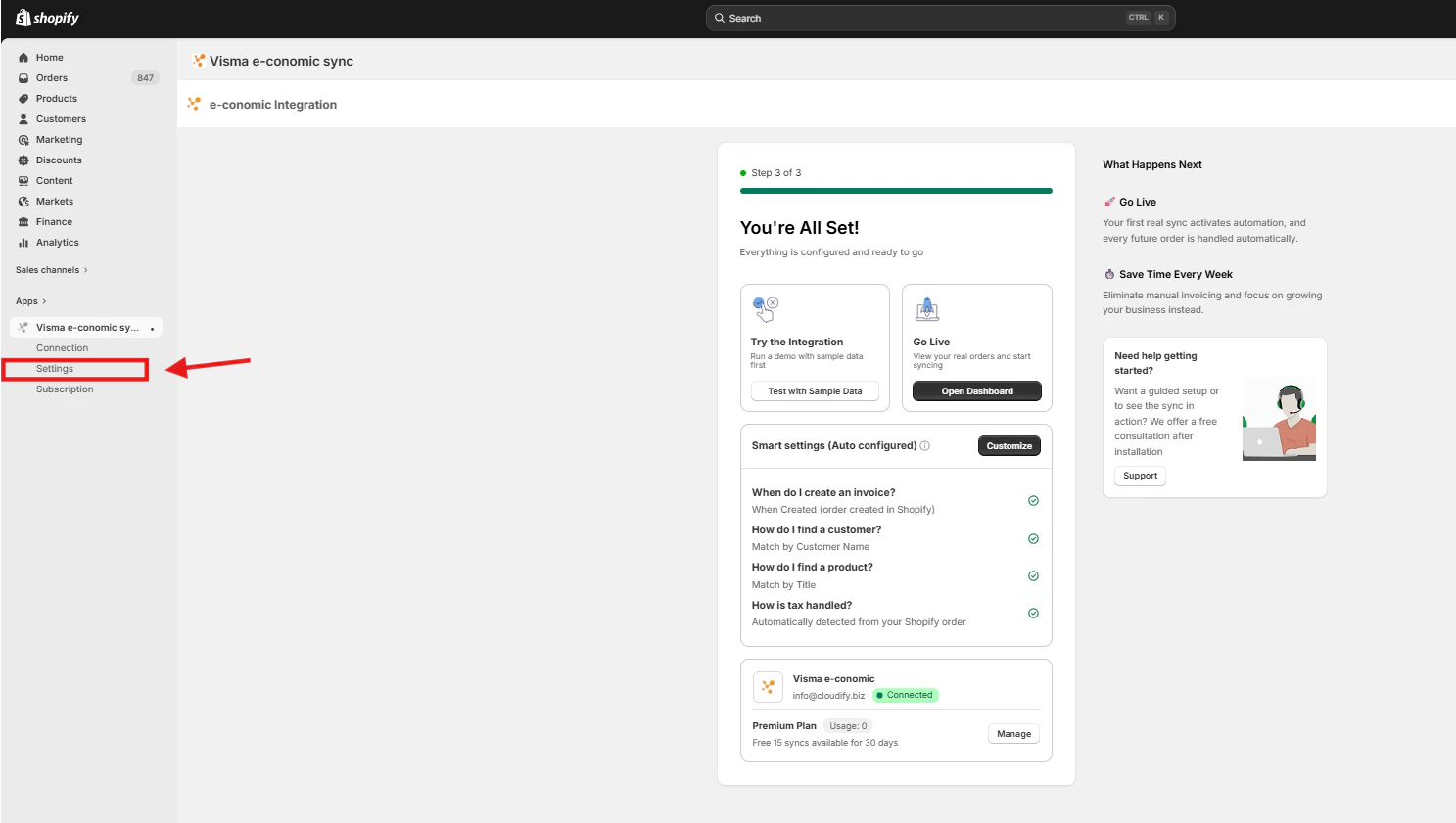
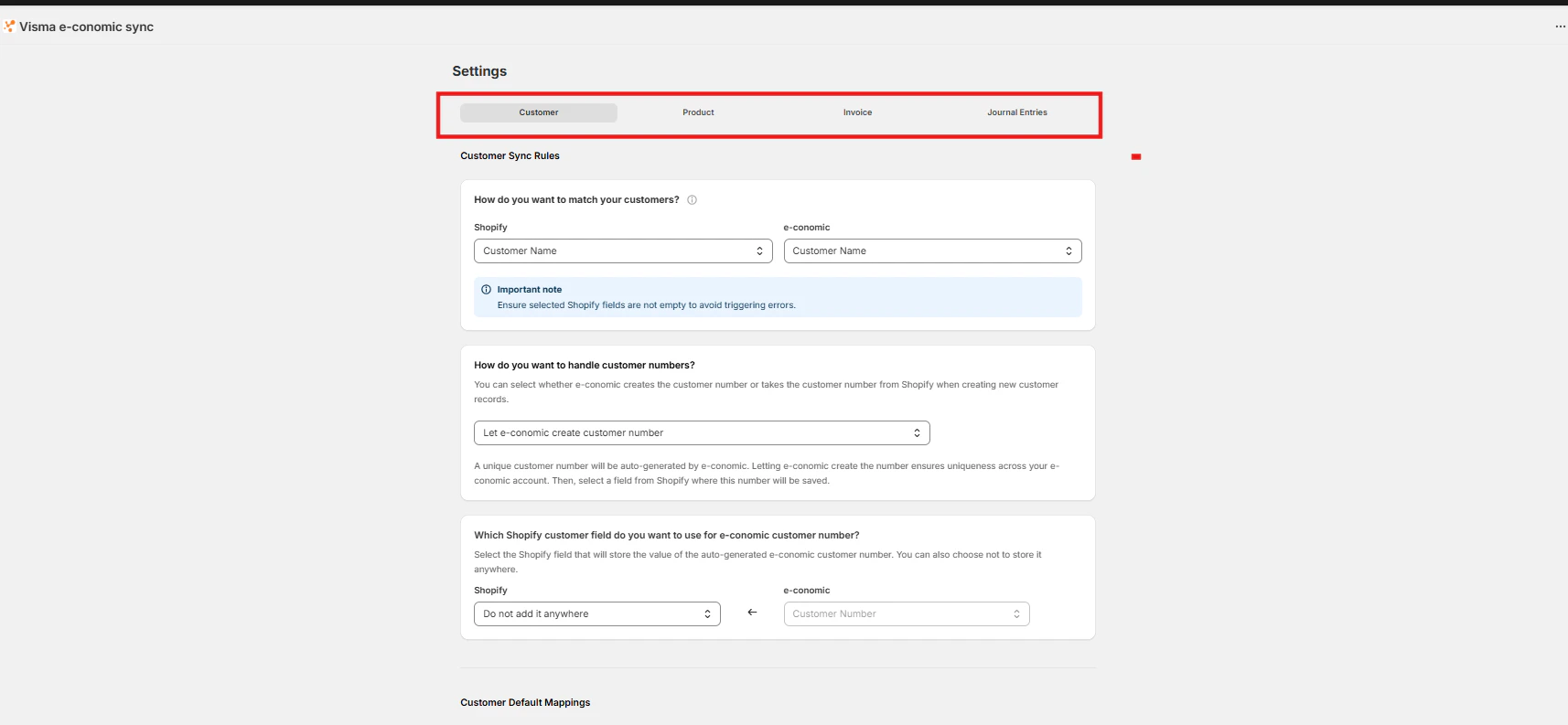
- Customer Setting
- Product Settings
- Invoice Settings
- Journal Entries