Why Product Sync Is Critical
Product synchronization ensures that:- Prices are consistent
- Inventory is tracked accurately
- Financial reporting is correct
- Orders process smoothly
Product Matching Method Explained
“Choose a product search method” Best when:- You have many products
- Products have consistent naming/numbering
- Regular catalog updates occur
- Order comes in from Shopify
- System searches e-conomic using your chosen field
- Matches product and applies correct accounting

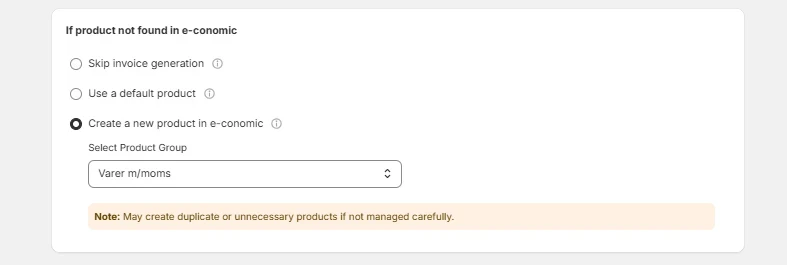
”If product not found in e-conomic” Handling Explained
“Do Not Generate Invoice” Use when:- Inventory accuracy is crucial
- You need strict control
- Manual review is feasible
- Quick processing is priority
- You handle many orders
- Reconciliation can happen later
- Catalog changes frequently
- Automation is priority
- You trust Shopify data
Tax settings
Enable this option to exclude any taxes from Shopify orders when creating e-conomic invoices. Only the relevant e-conomic tax will be applied if this option is enabled. Cloudify itself does not calculate taxes; it relies entirely on your existing tax settings in e-conomic.
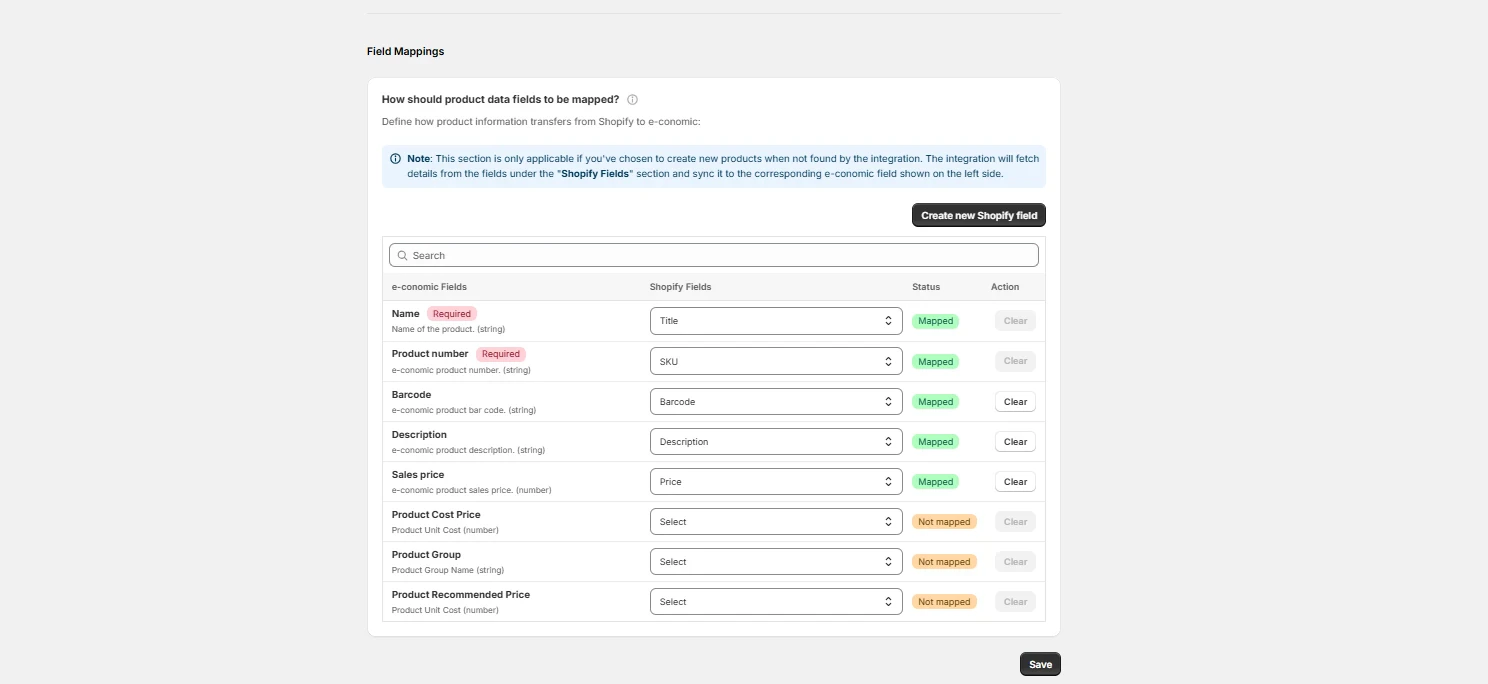
”How should product data fields to be mapped?”
Best when:- Small product catalog
- Complex product variations
- Need precise control
- Manually connect products once
- System uses these exact matches
- Highest accuracy but more setup time