

Billing period
Use the Monthly / Yearly toggle at the top to switch between billing periods. Yearly billing saves 15%.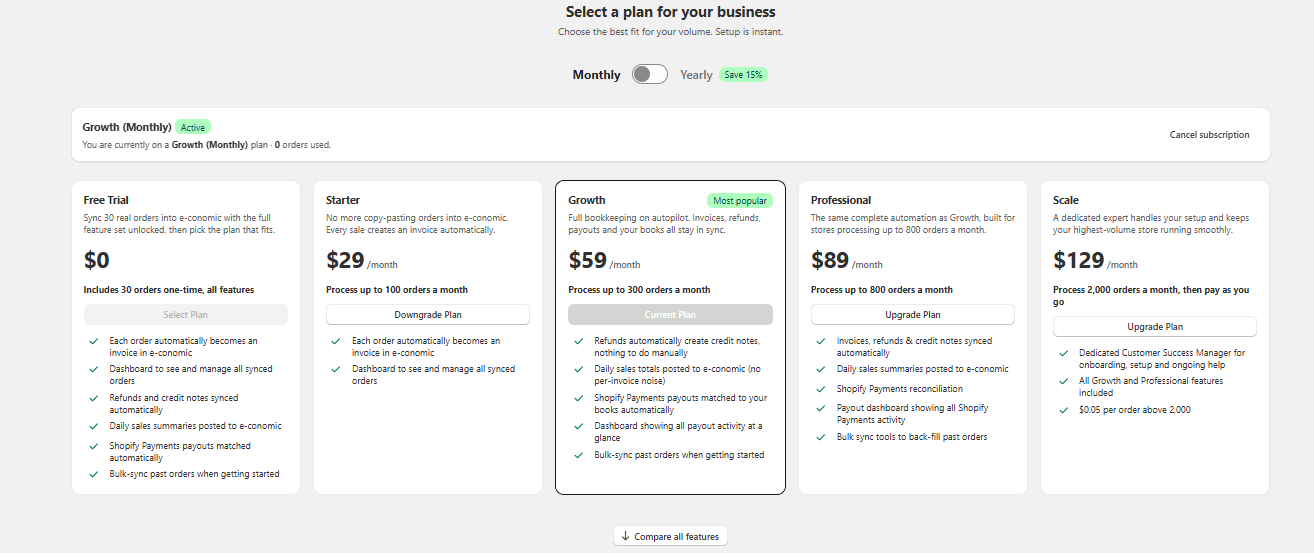
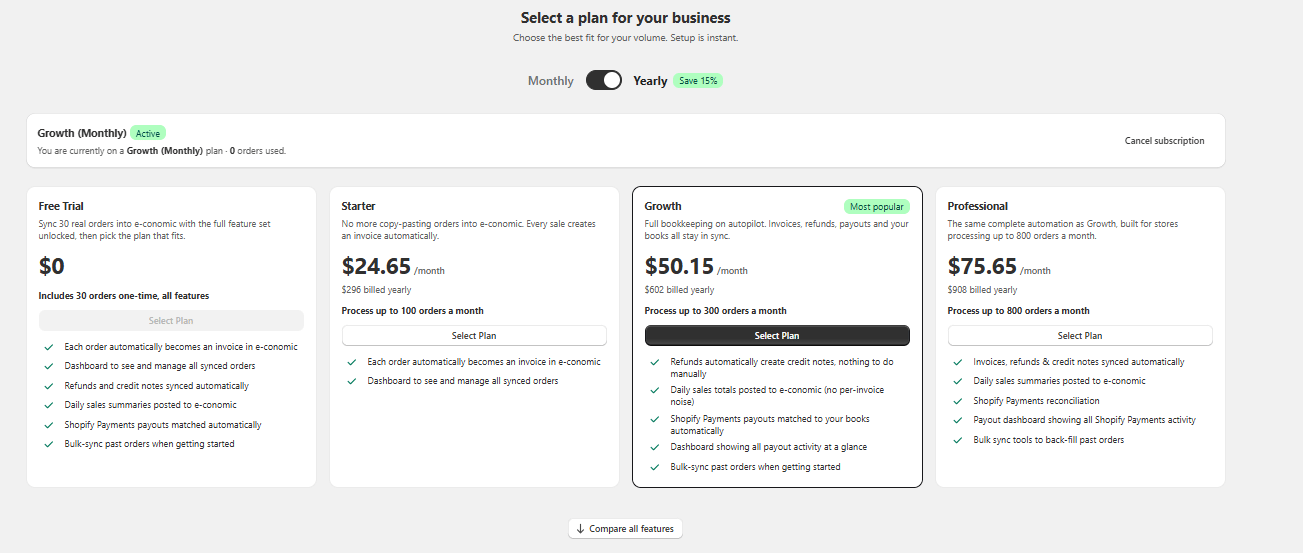
The Scale plan is only available on monthly billing. It does not appear when the toggle is set to Yearly.
Plans
Free Trial – sync 30 real orders into e-conomic with the full feature set unlocked, then pick the plan that fits. The 30 orders are a one-time allotment, not monthly. Starter – every sale creates an invoice in e-conomic automatically, and you get the dashboard to see and manage all synced orders. Starter does not include refunds/credit notes, sales summary sync, bookkeeping (payout reconciliation), the payouts dashboard, or bulk sync tools. Growth – everything in Starter, plus: refunds automatically create credit notes, daily sales totals posted to e-conomic, Shopify Payments payouts matched to your books automatically, a dashboard showing all payout activity, and bulk-sync of past orders when getting started. Professional – the same complete automation as Growth, built for stores processing up to 800 orders a month. Scale – everything in Growth and Professional, plus a dedicated Customer Success Manager for onboarding, setup, and ongoing help. Includes 2,000 orders per month; orders above that are charged at $0.05 each (pay as you go), so there is no hard cap.Comparing plans
Click Compare all features below the plan cards to see a detailed table of every feature across all plans, grouped into Volume & Fees, Core Synchronization, Bookkeeping & Summary, and Account & Support.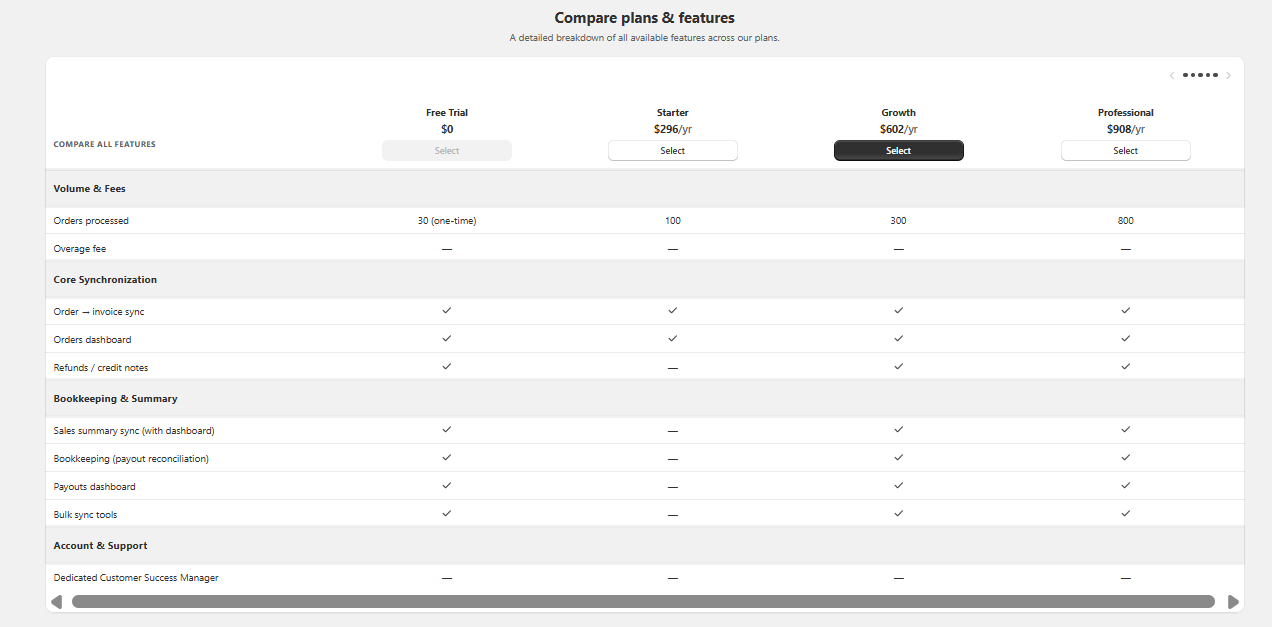
Changing your plan
- Your current plan is shown in the banner at the top of the page, together with the number of orders used this month.
- Click Upgrade Plan or Downgrade Plan on a plan card to switch. Shopify handles the billing change.