

How to Change the App Settings After Installation
1
Click the Store icon and then Connected Apps.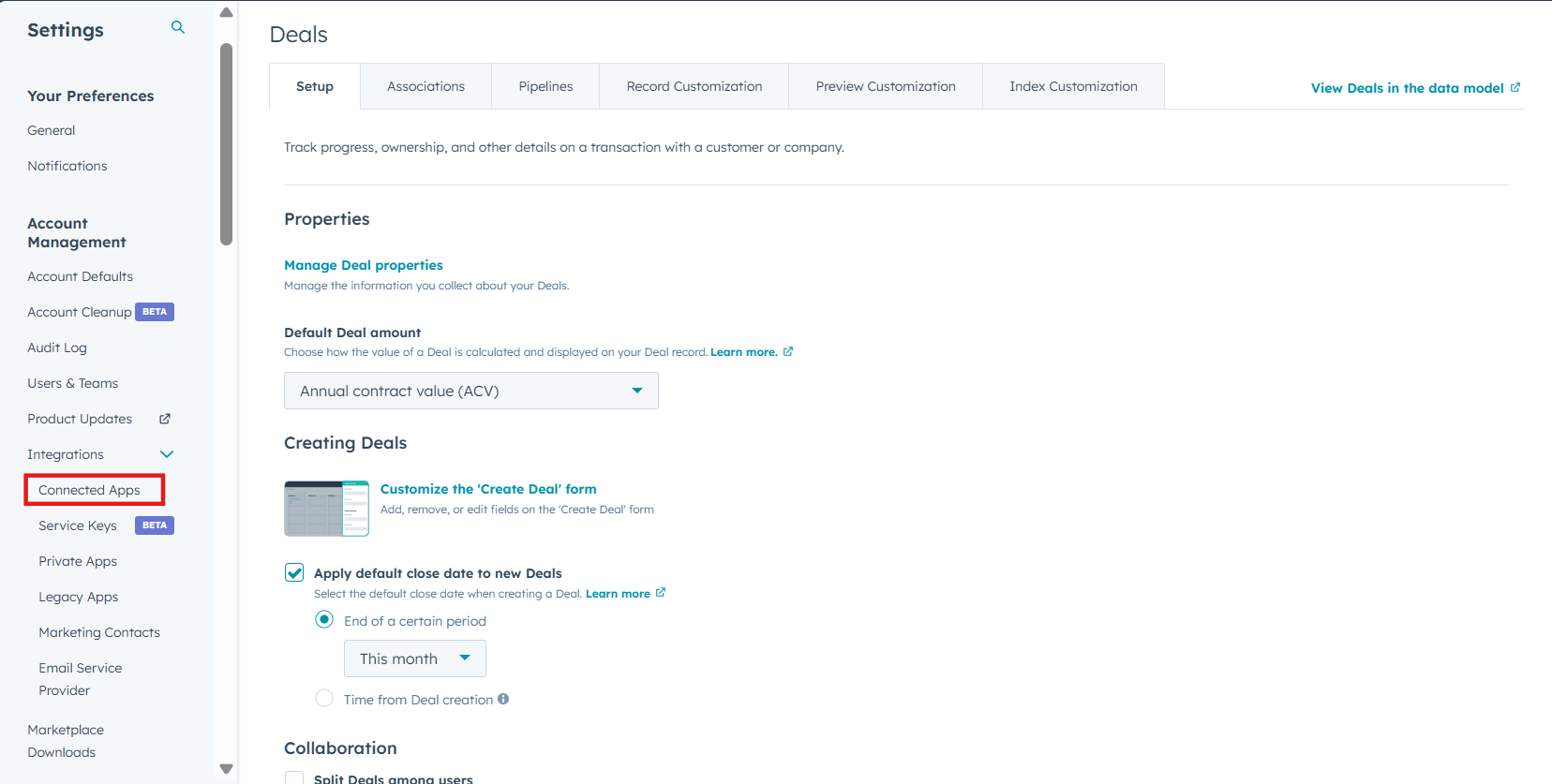
2
Find the app and click Actions > Go to settings.
3
Click Sync Settings.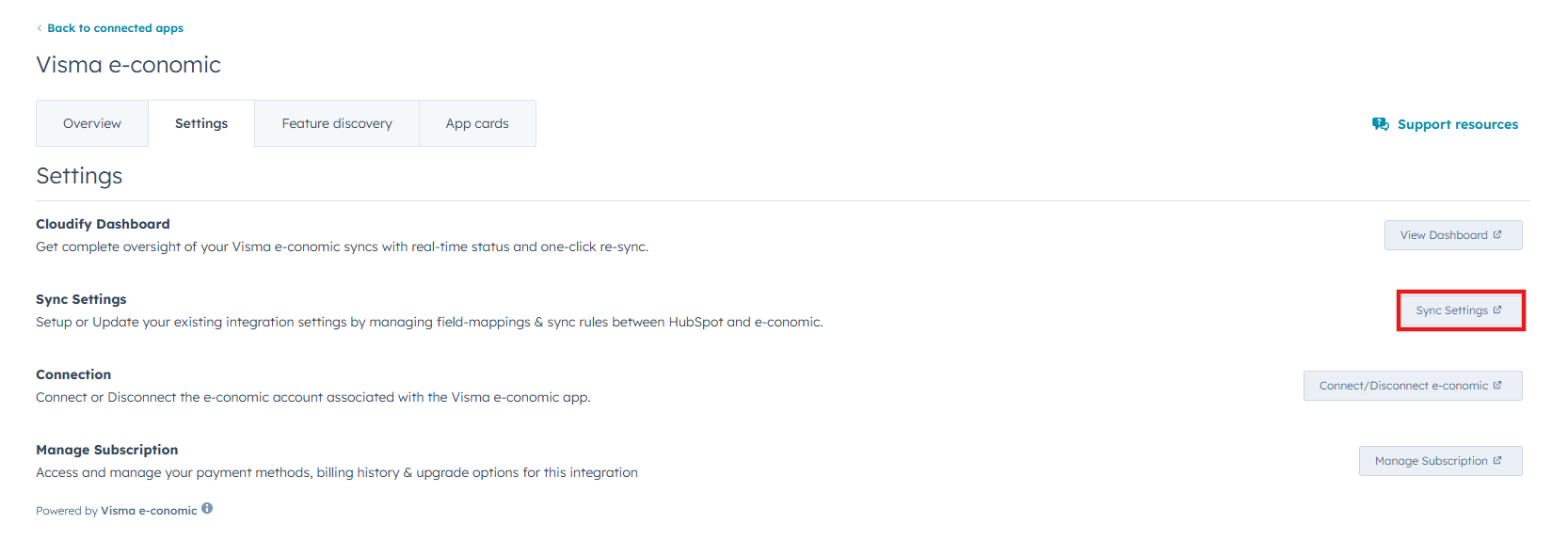
4
A Sync Settings dialogue box will open, and you can make preferred changes according to your requirements.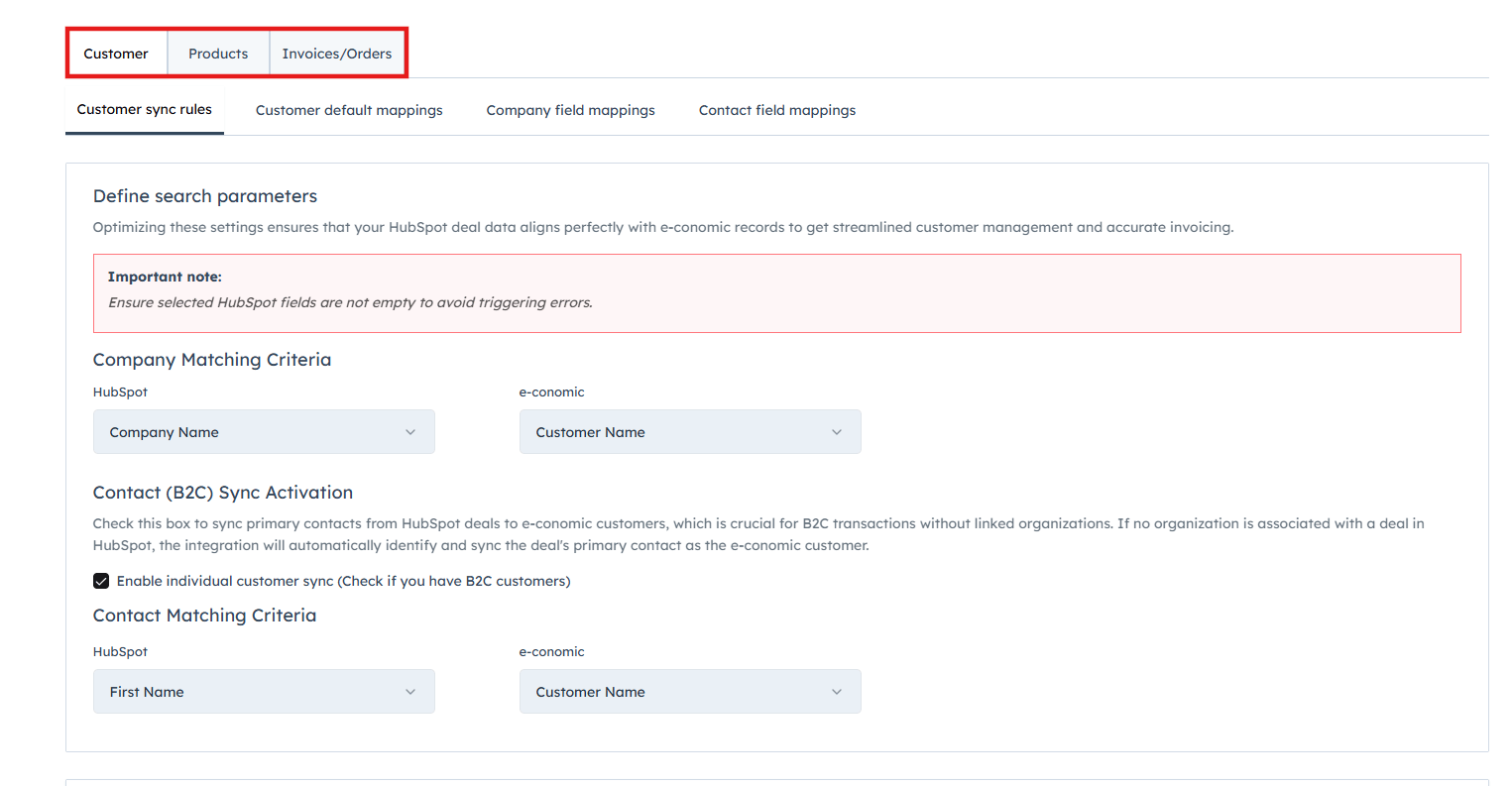
The setup process is divided into three main areas:
- Customer Settings
- Product Settings
- Invoice/Order Settings