

Steps to cancel
1
Go to Connected Apps
In HubSpot, click the marketplace icon in the top navigation bar, then select Connected Apps.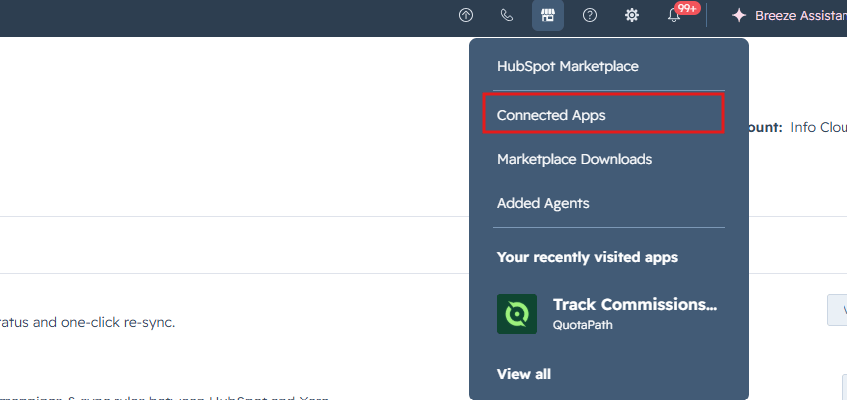
2
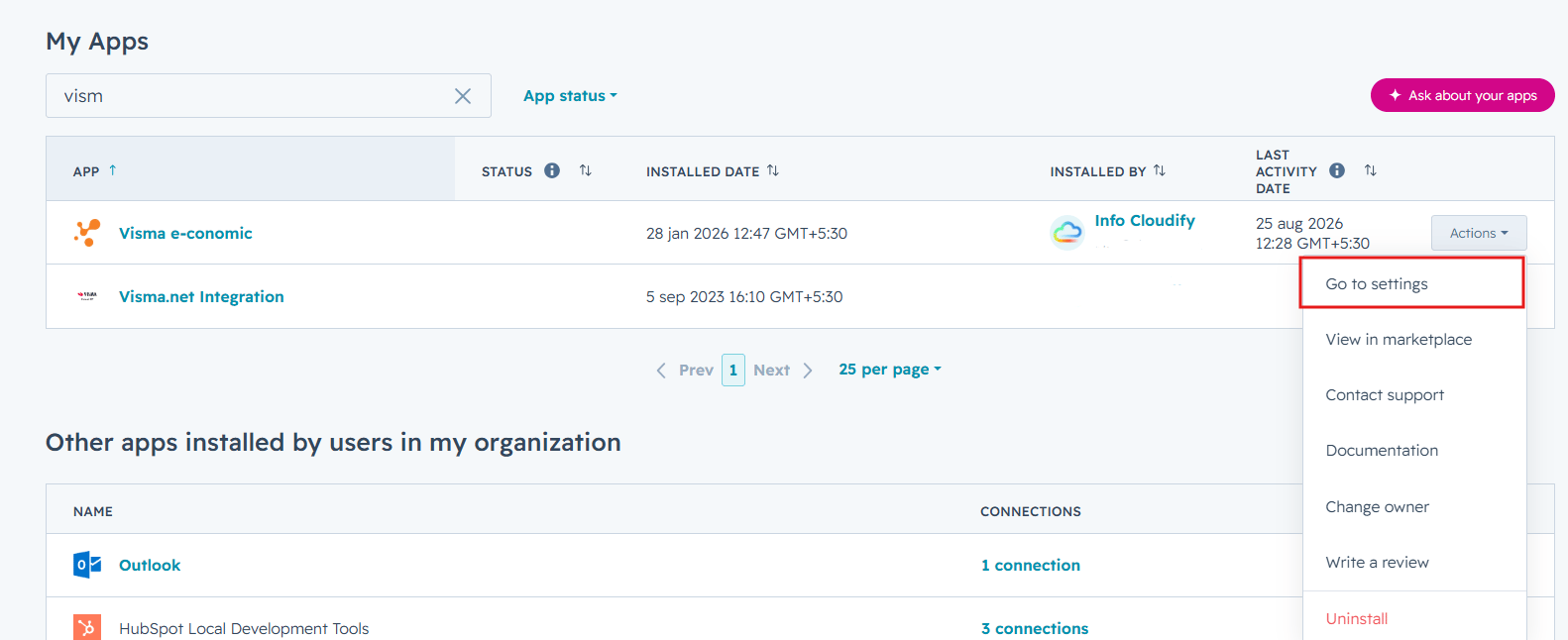
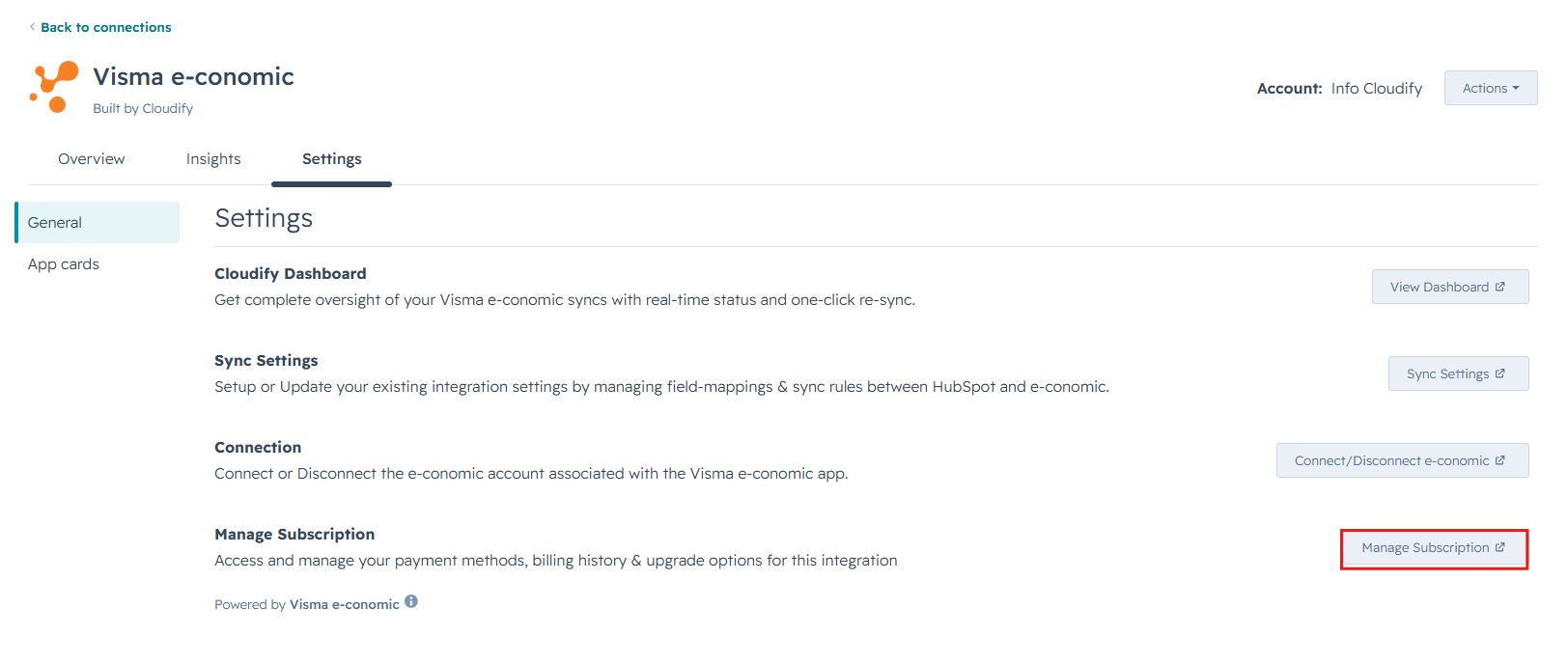
Search for Visma e-conomic Integration by Cloudify and click Actions → Go to settings and click Manage subscription.
3
Cancel your plan
Click Cancel and confirm when prompted. You’ll get an email at your billing address.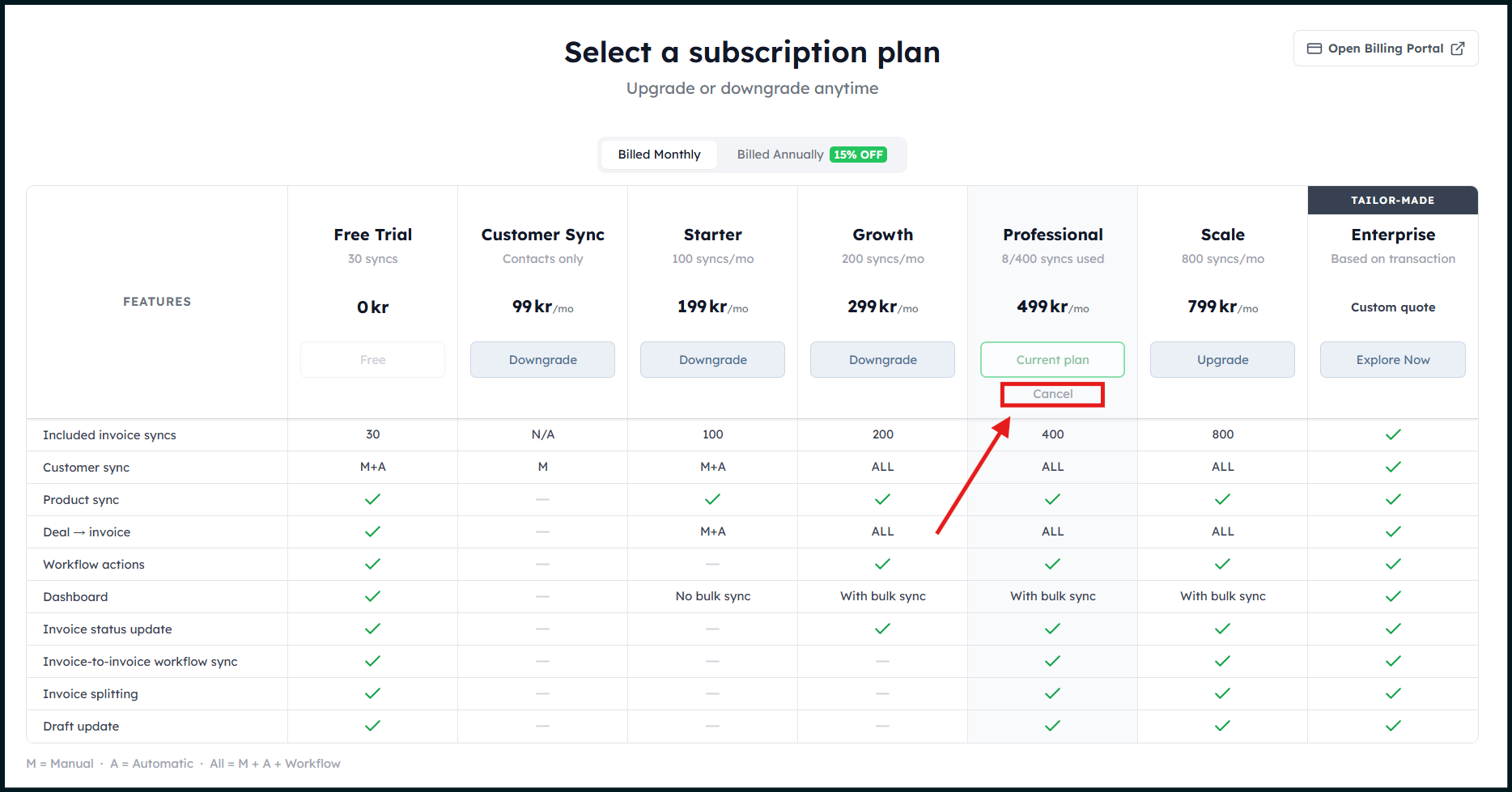
Custom solutions
Not finding a plan that fits your sync volume, workflow, or team structure? We build tailored integrations for companies with specific requirements — custom field mapping, enterprise data volumes, dedicated support, or bespoke automation logic.Talk to our team
Get a custom quote for your business. We’ll scope out exactly what you need.