

1
Click on HubSpot Marketplace Icon and “Connected Apps”.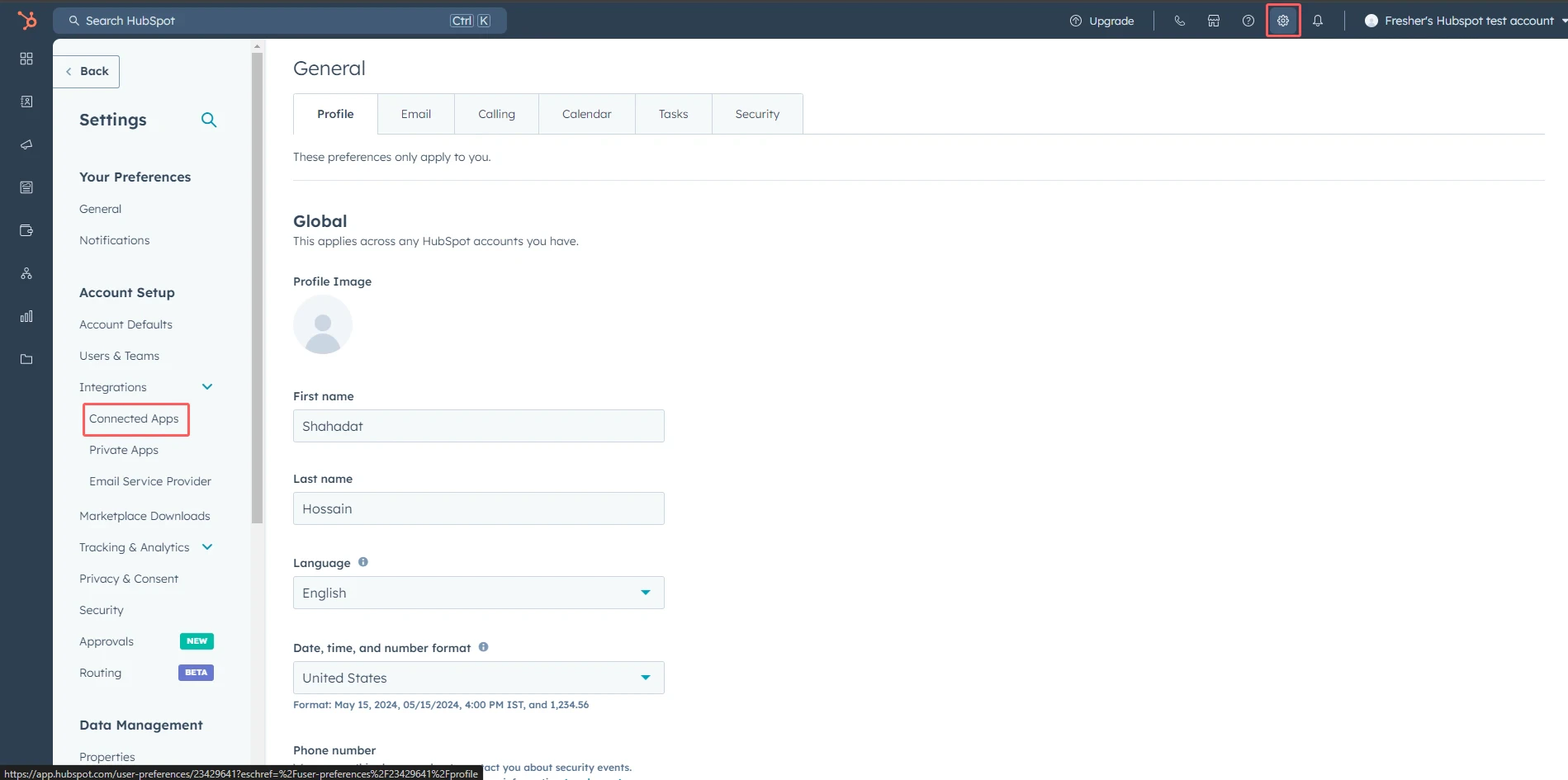
2
Find the app and click Actions > Go to settings.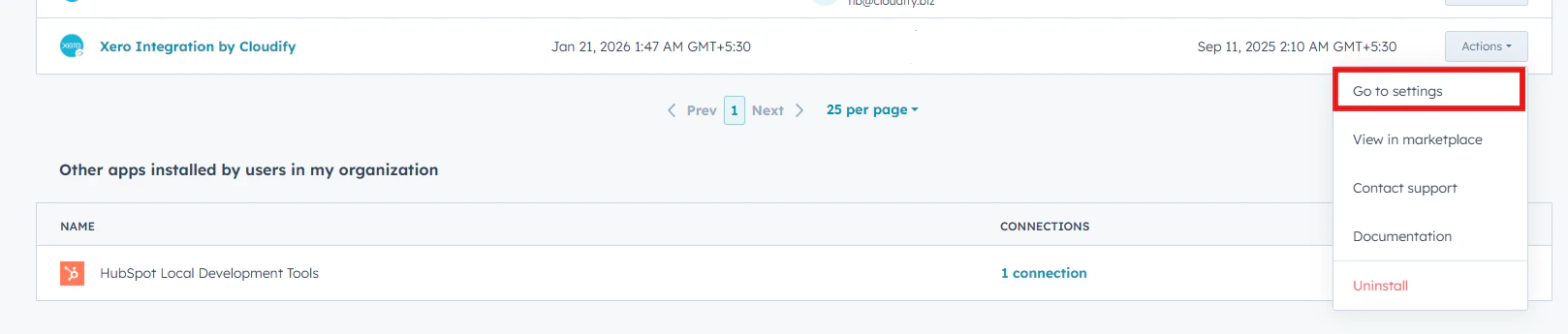
3
Click Sync Settings.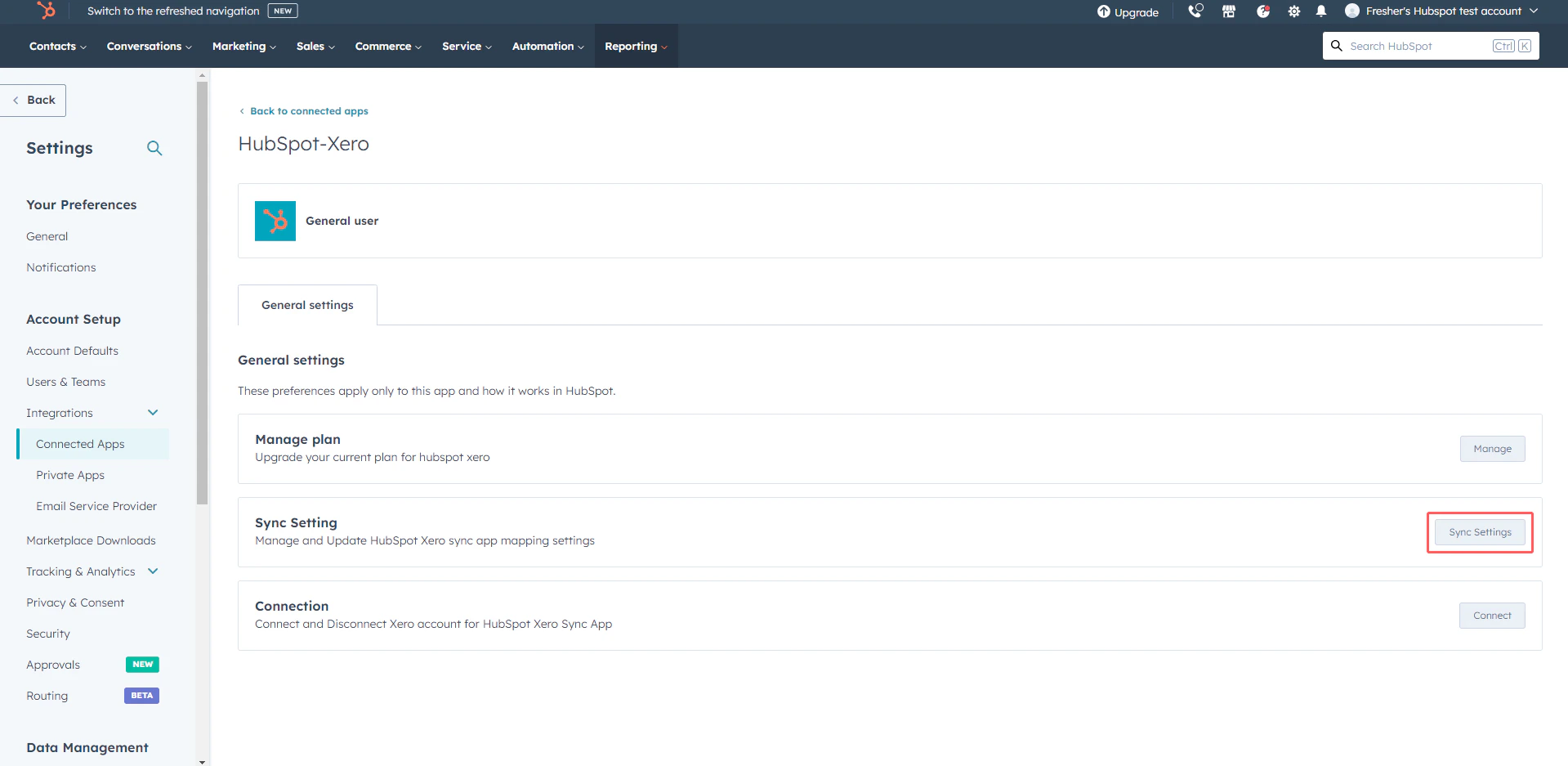
4
A Sync Settings dialogue box will open, and you can make preferred changes according to your requirements.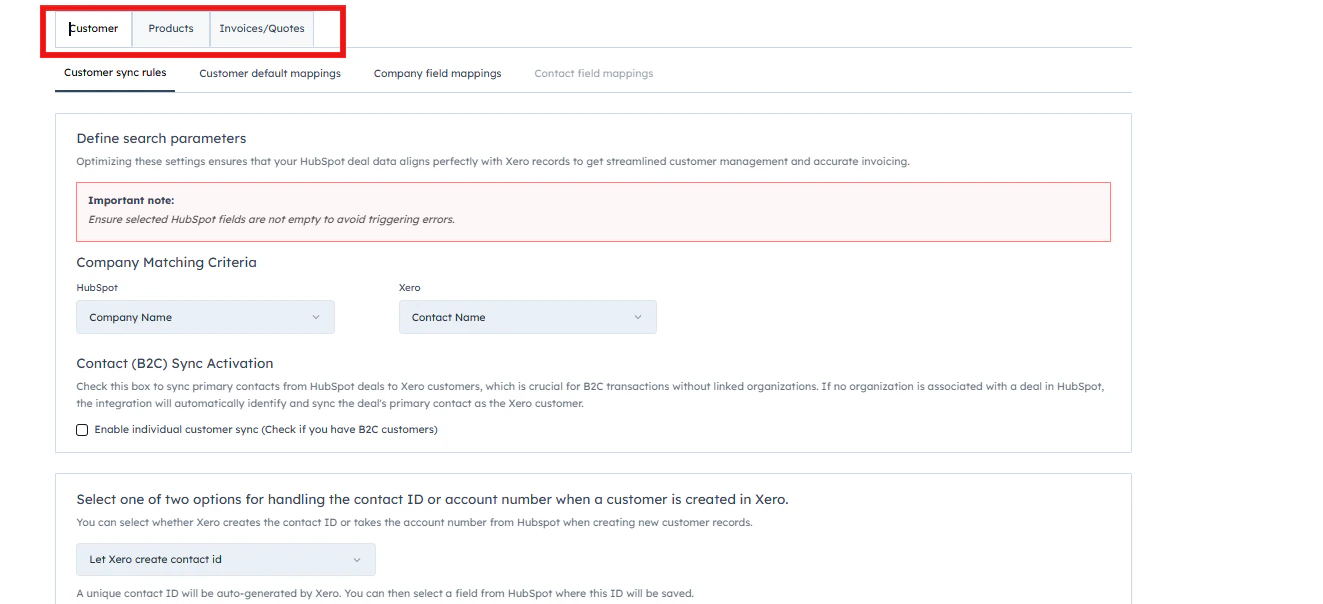
Post Installation settings