1
Click “Select a Pipeline”. Choose the relevant pipeline.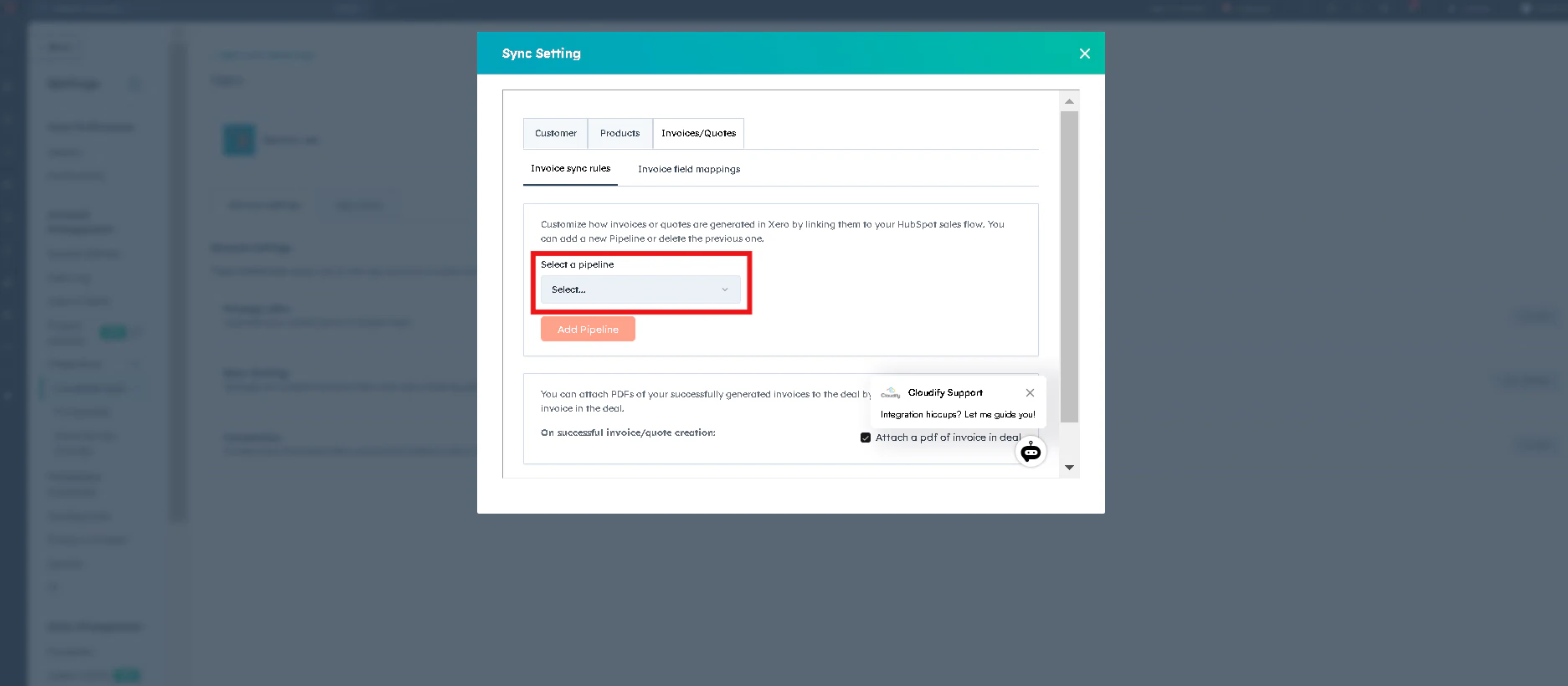
2
Select “Deal Stage”. Choose the relevant Deal stage.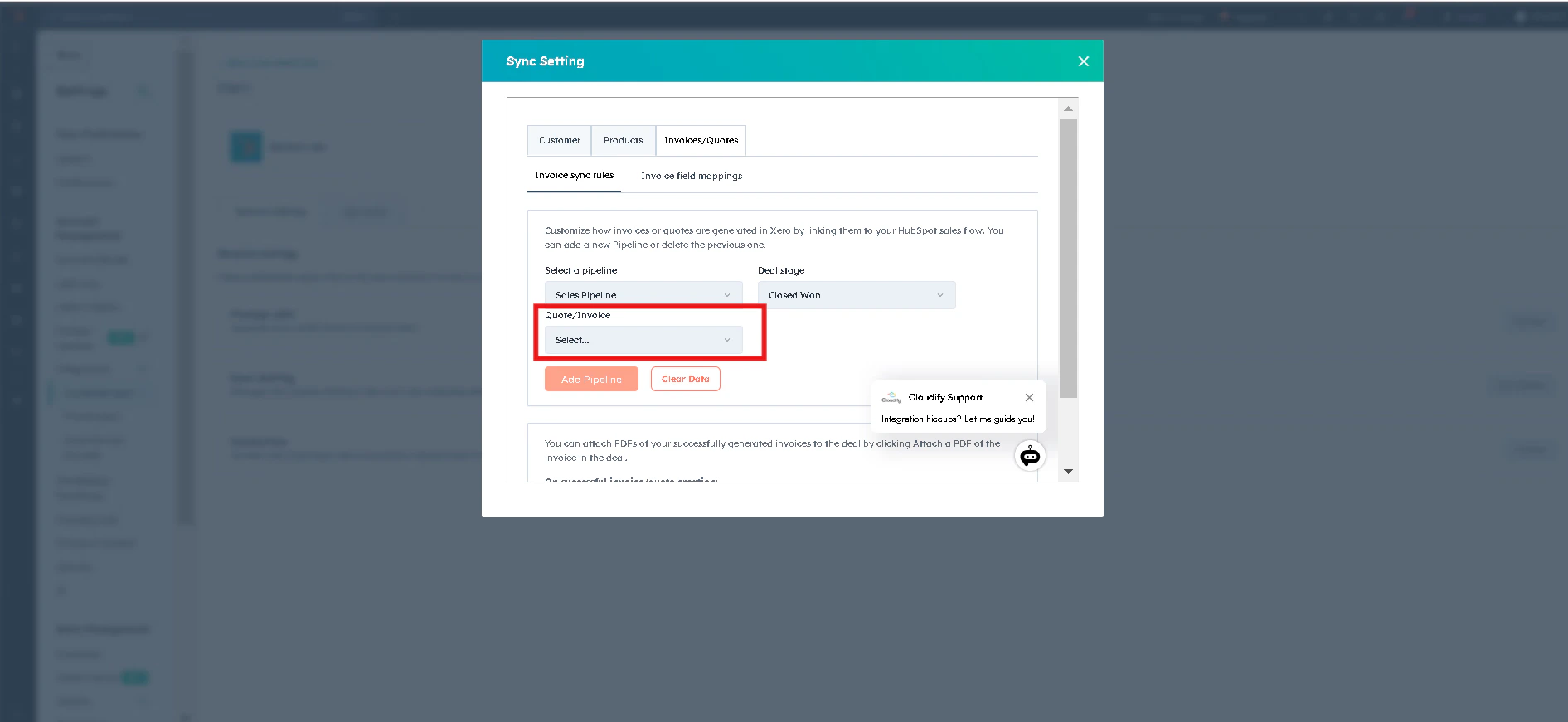
3
Select Order/Invoice Creation
4
Click “Add Pipeline”.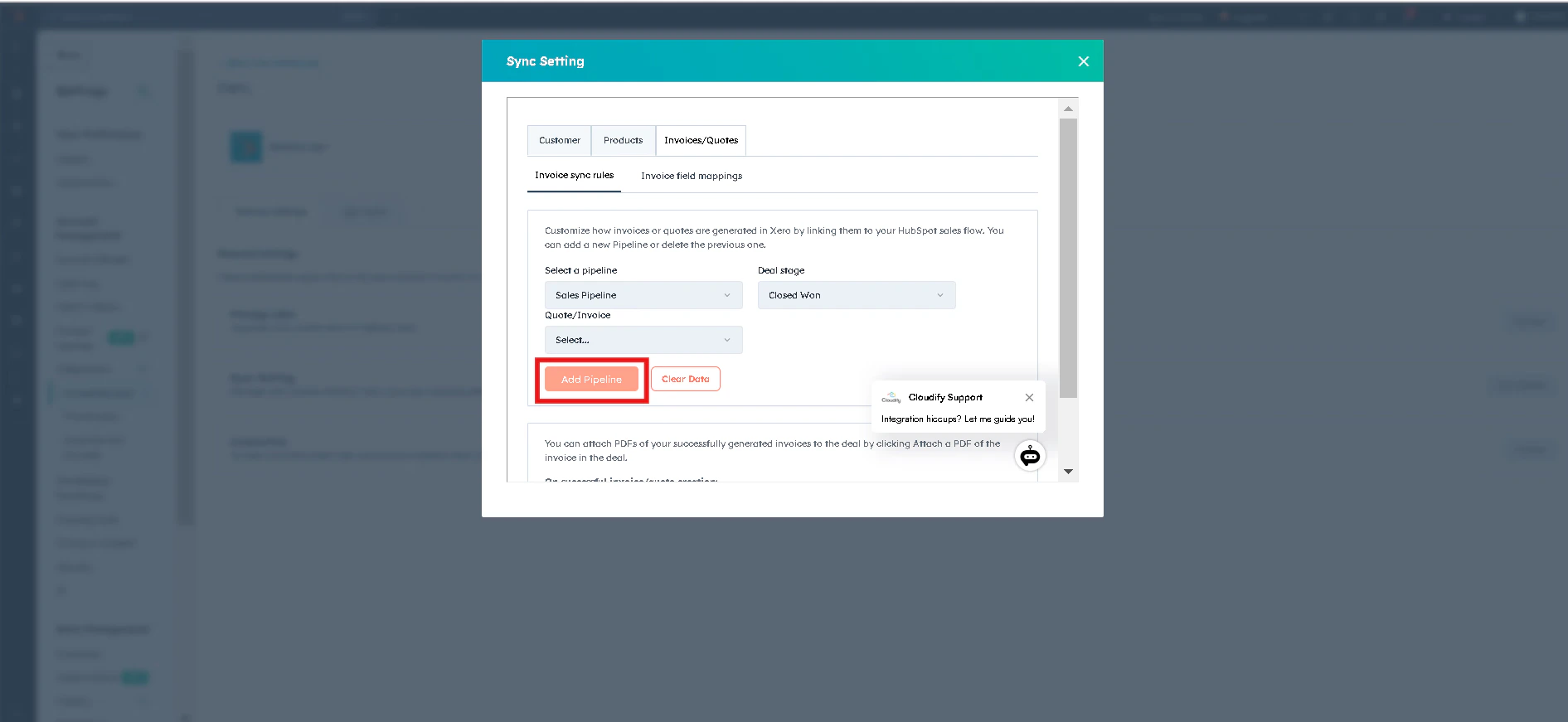
5
You can attach PDFs of your successfully generated invoices to the deal by clicking “Attach a PDF of the invoice in deal”. Click “Save”.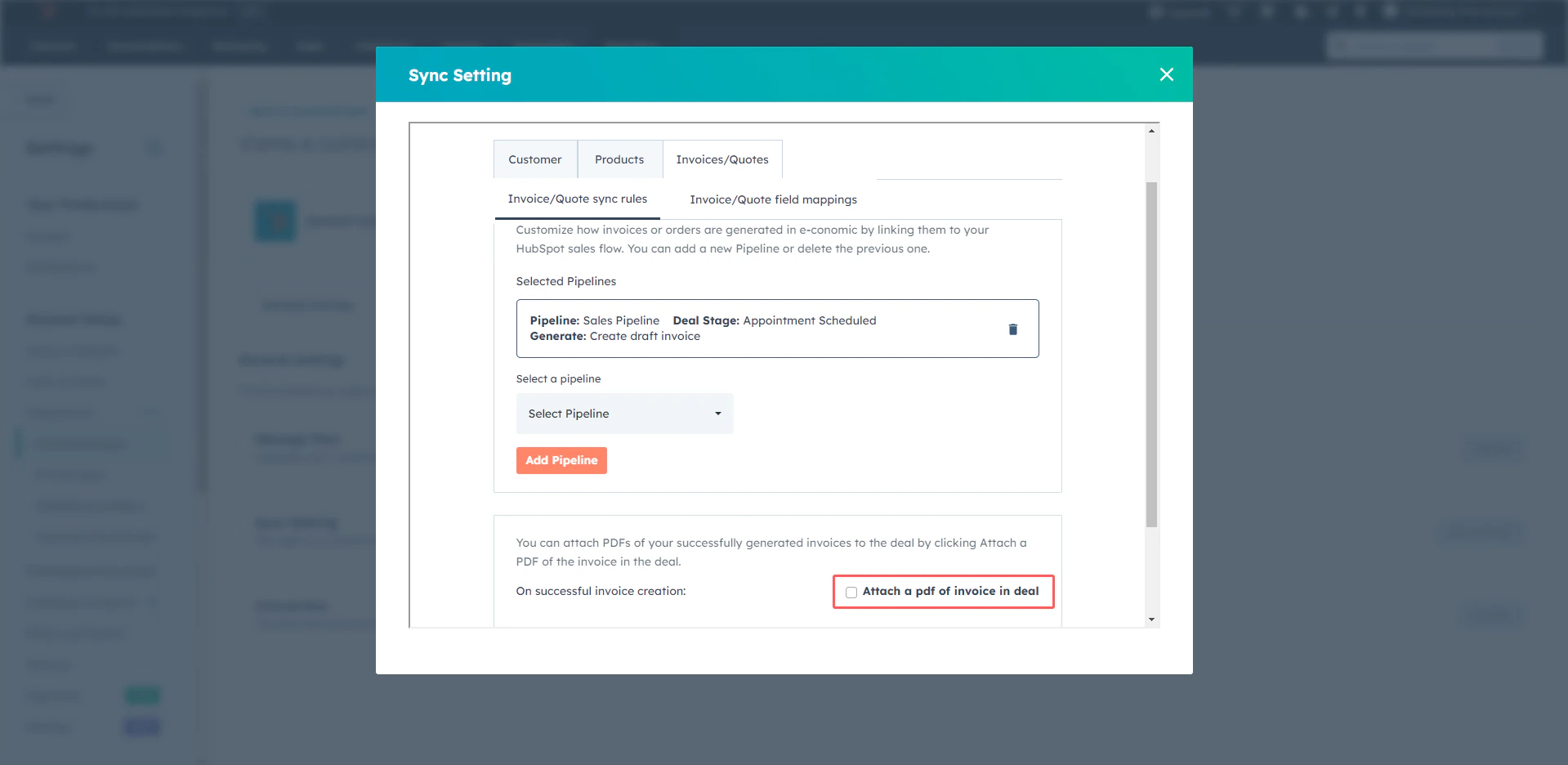
Invoice/Quotes Field Mappings
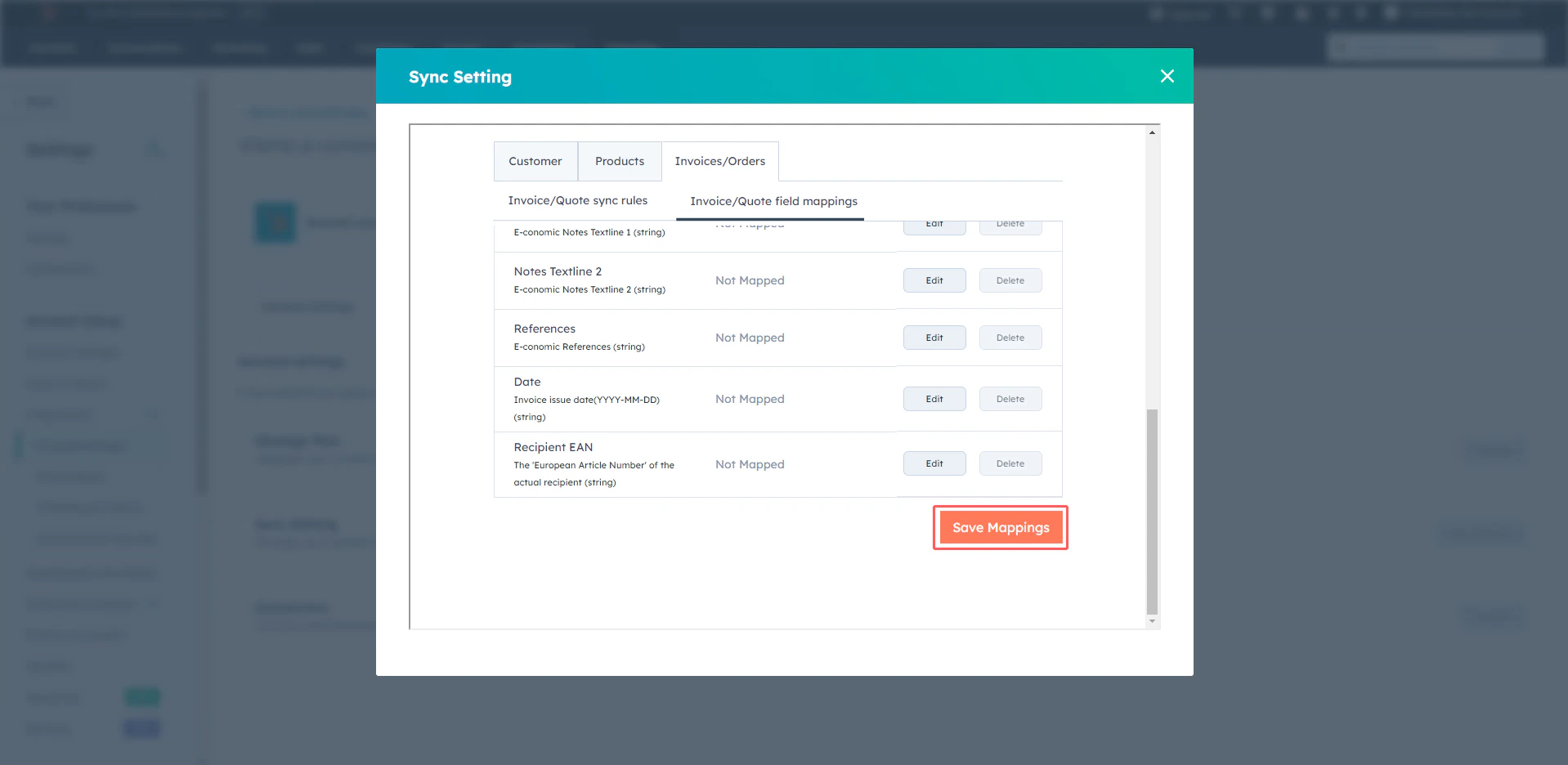
This option allows you to align and transfer invoice-related data from HubSpot to Xero, giving you control over how each piece of data is represented in the invoicing process. This ensures that every detail from HubSpot corresponds accurately to the related field in Xero, facilitating a consistent and error-free invoicing workflow.1
Click “Edit”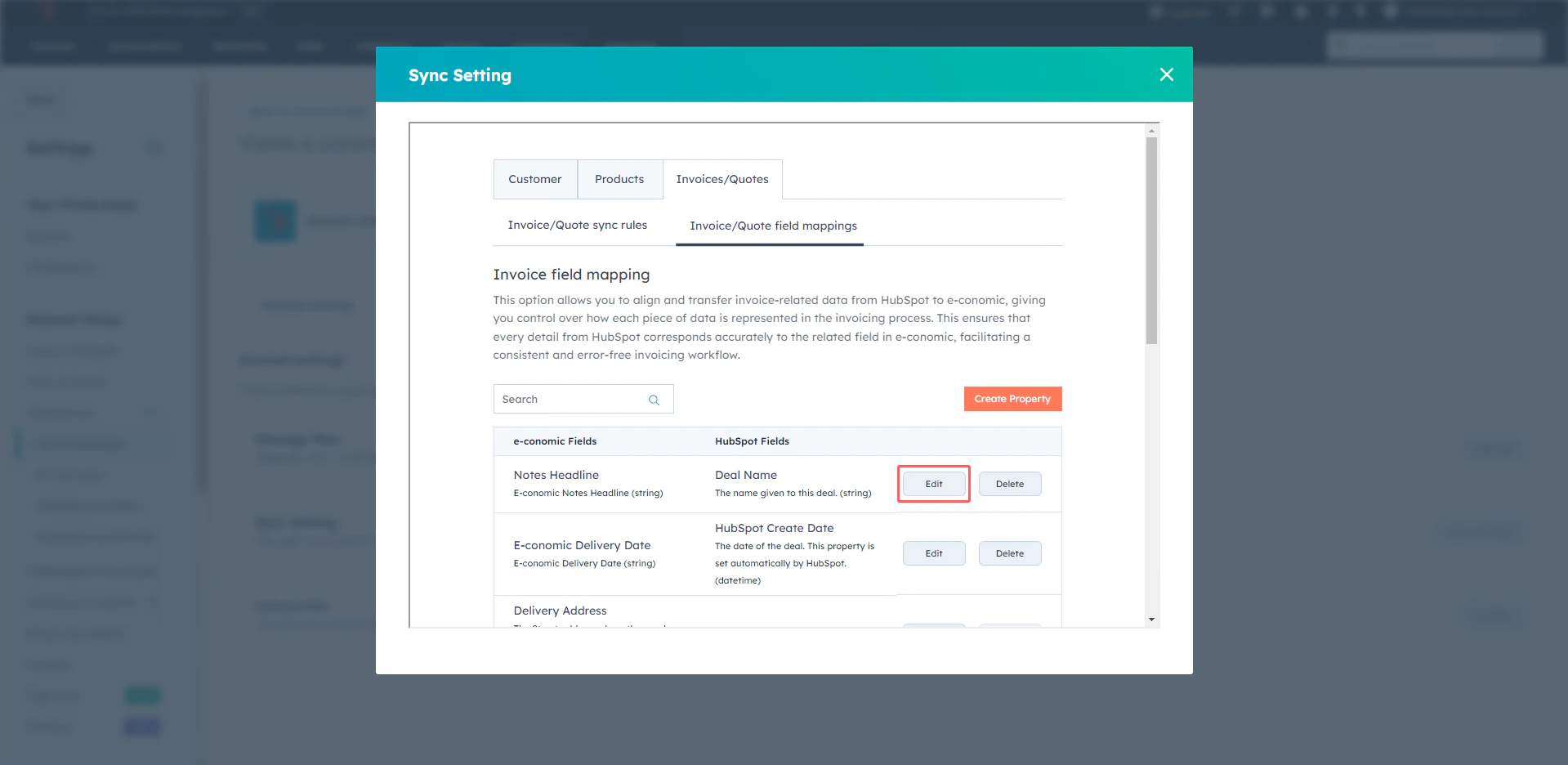
2
Select the option from the drop-down box.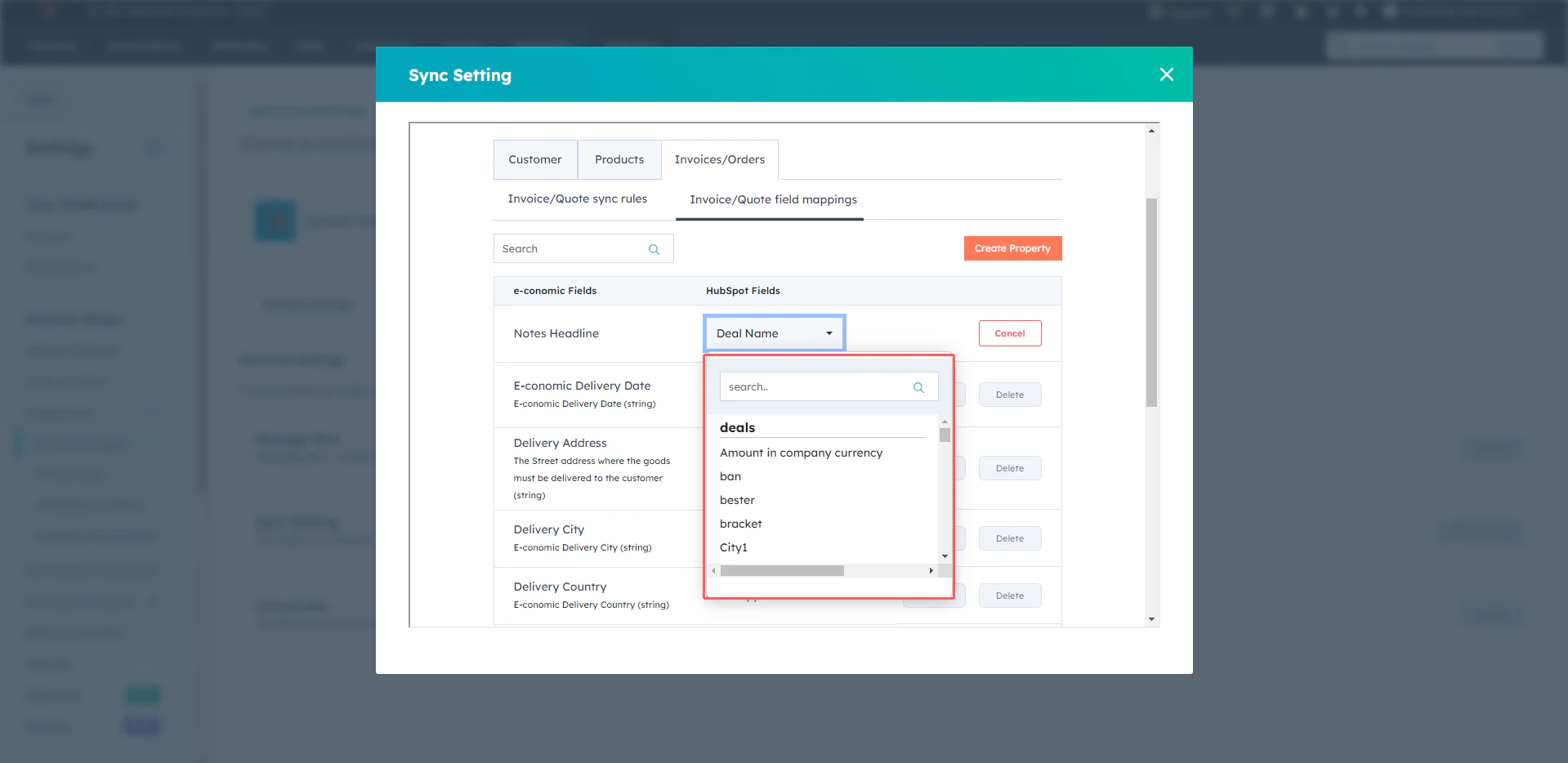
3
Click “Save”.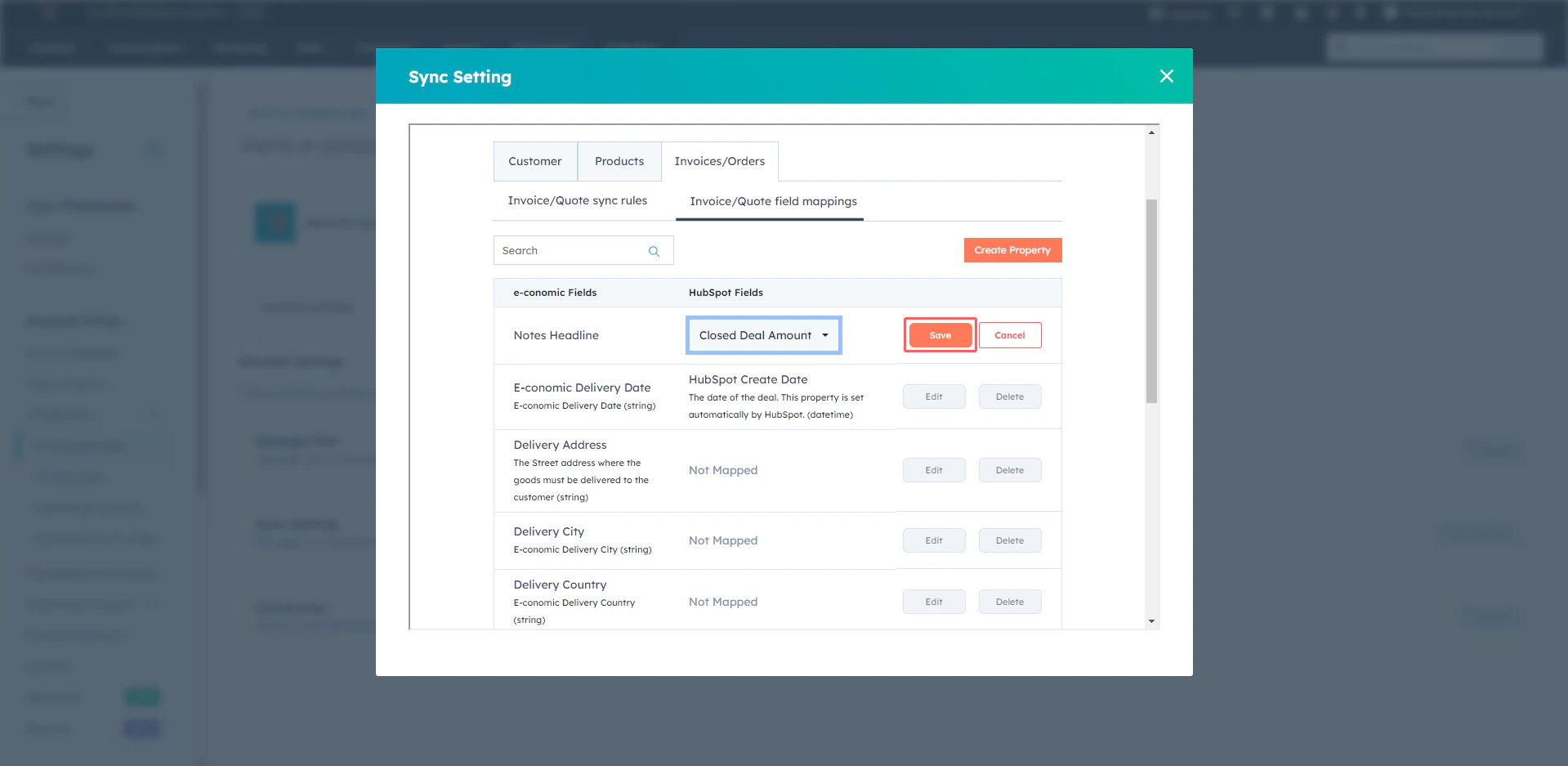
4
Click “Save Mappings”.