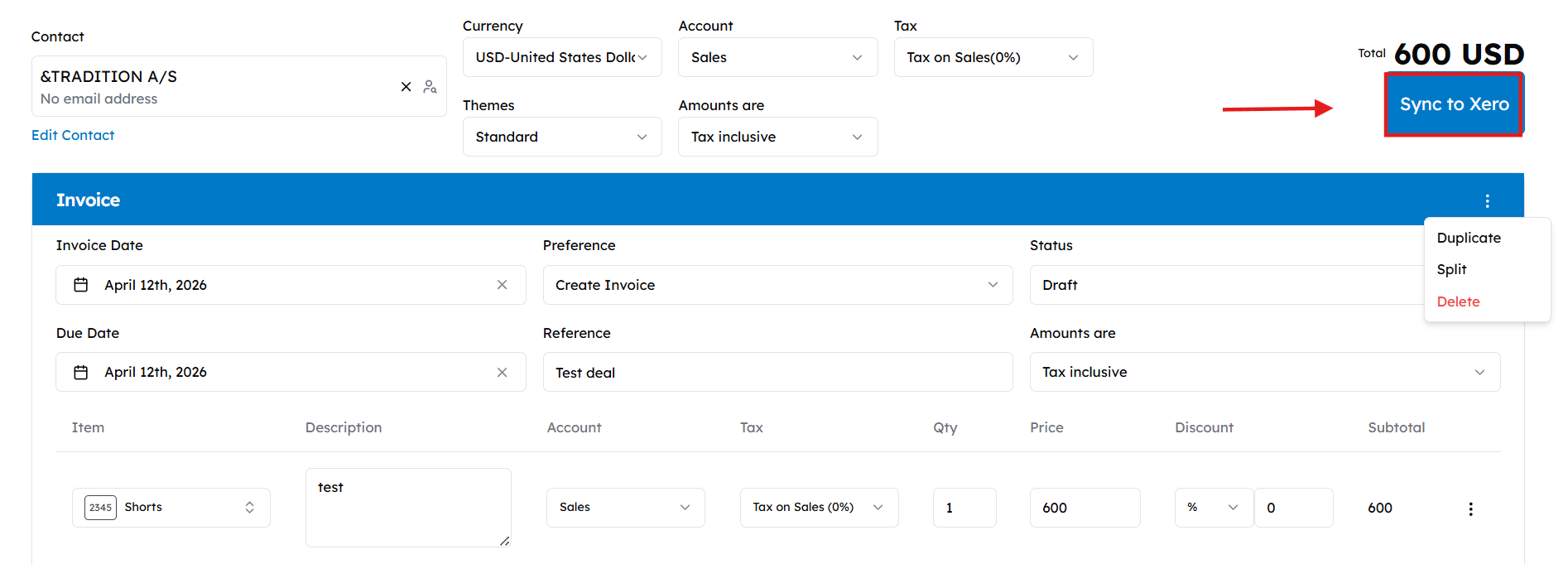
Selecting I’ll do it manually skips automation and takes you to the Cloudify Dashboard, allowing you to update invoices from any HubSpot deal stage.
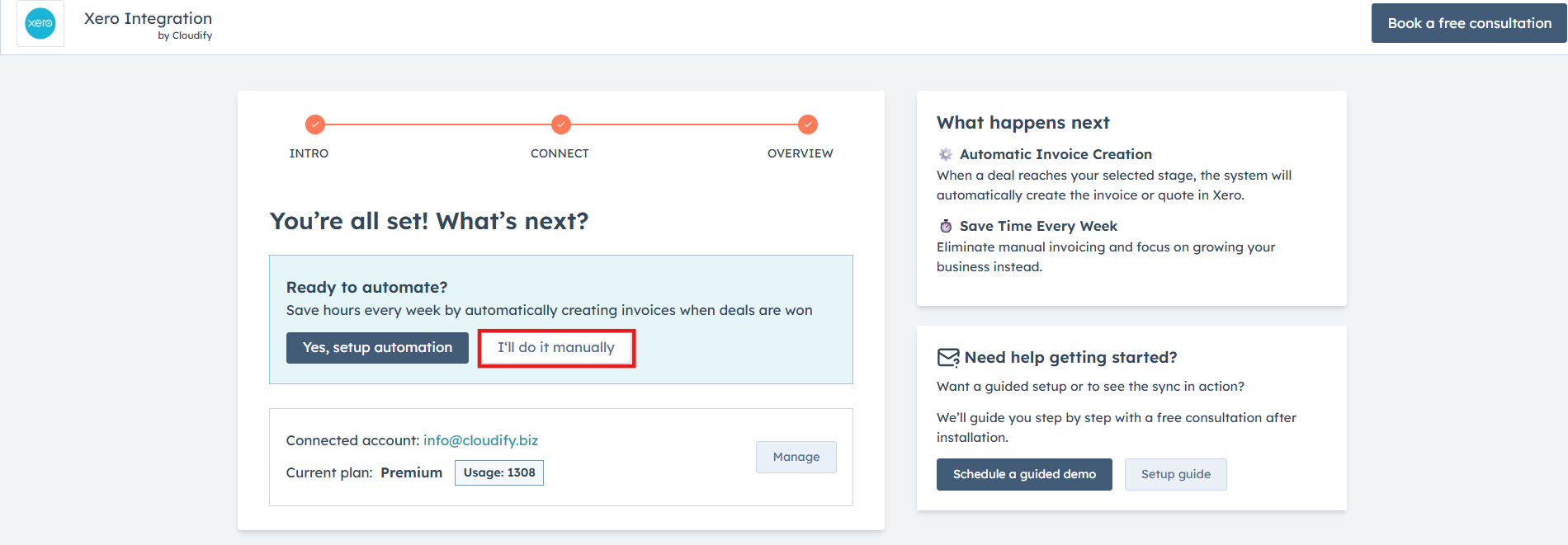

Manual Sync via the Dashboard
Once you click Dashboard, follow these steps to complete a manual sync: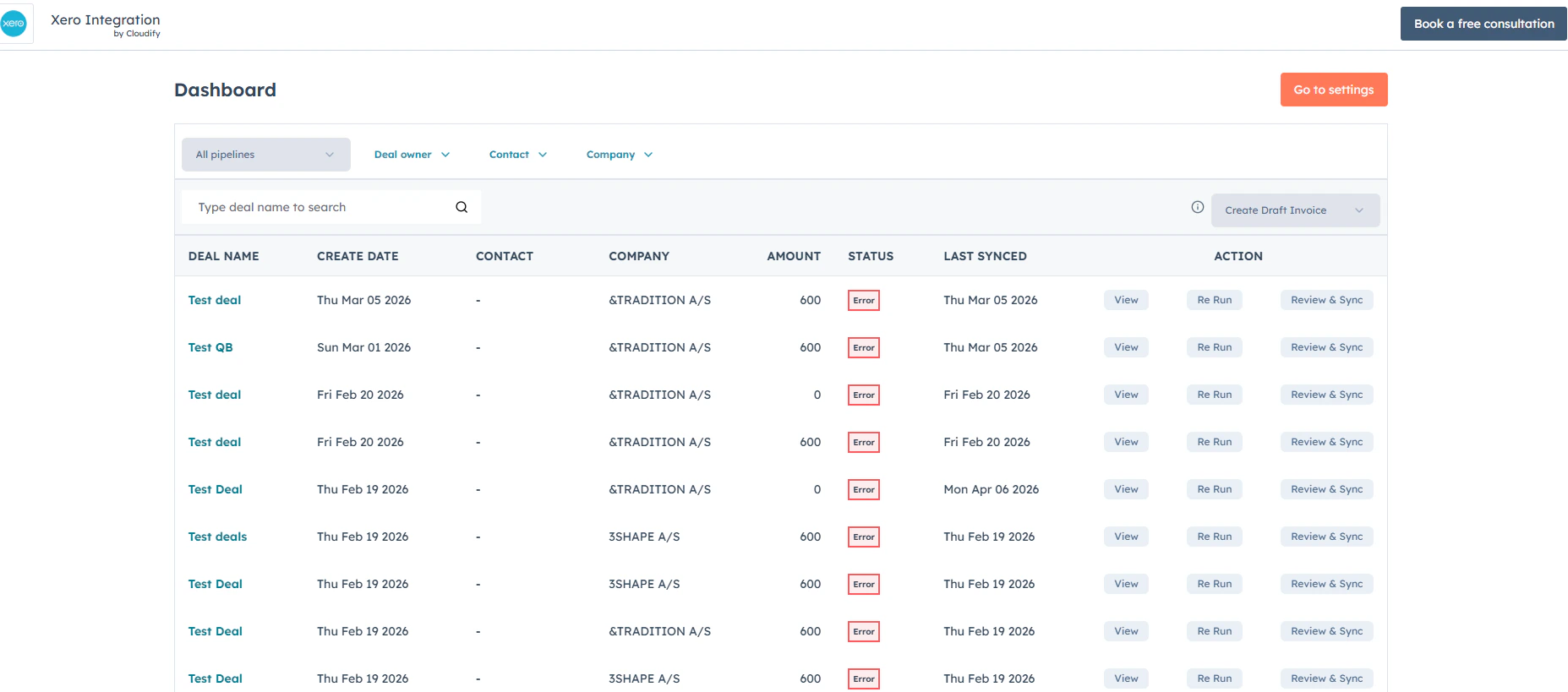

1
Access the invoice
Go to any invoice on the dashboard you wish to update and click Review and Sync. The manual sync window will immediately appear on your screen.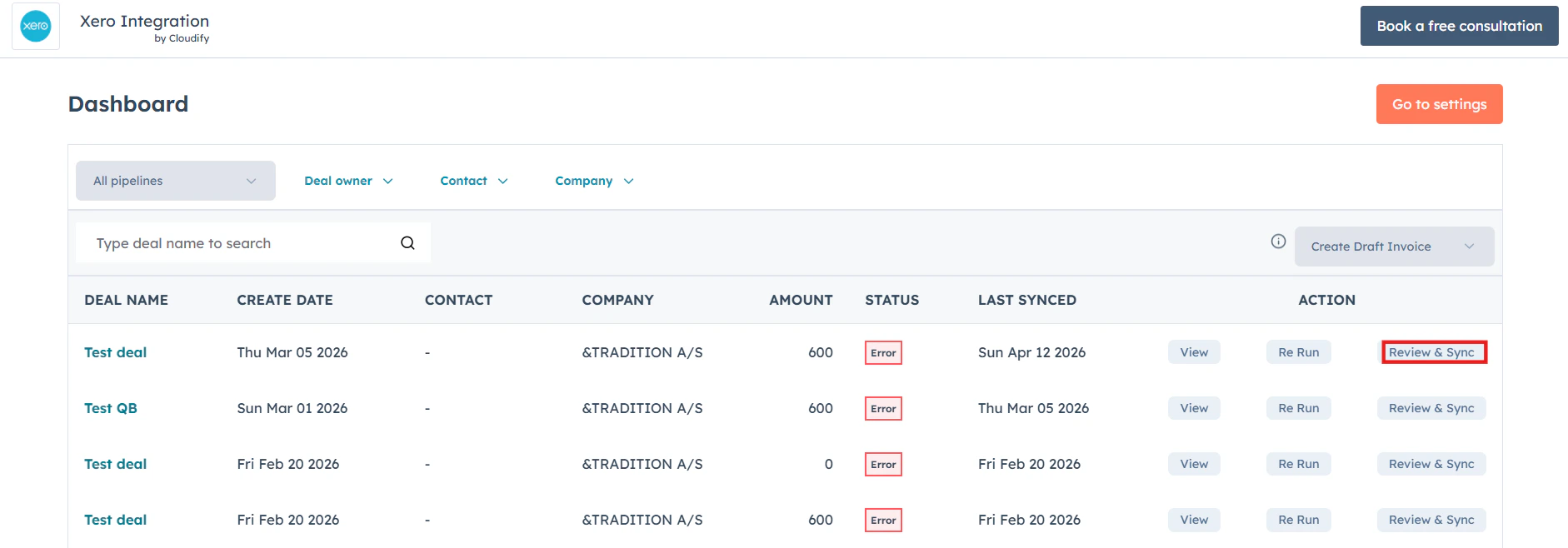

2
Enter basic details
Select your contact, currency, tax, and account details to get started.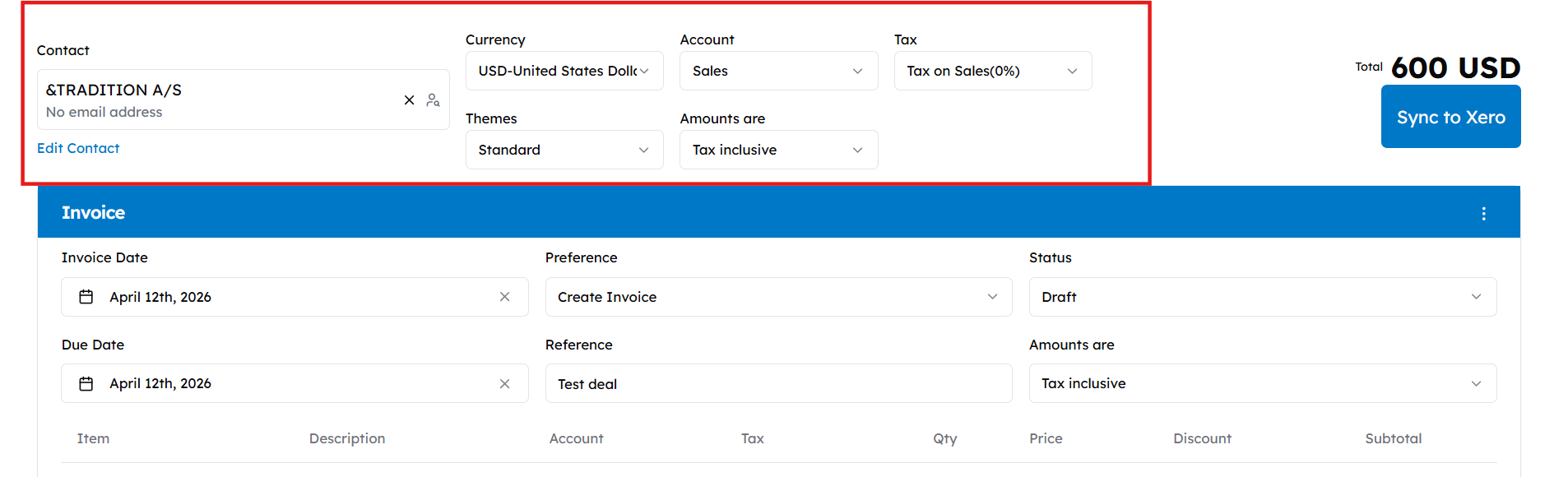

3
Set invoice terms
Choose specific details such as the Invoice date, Due date, Status, and Tax preferences.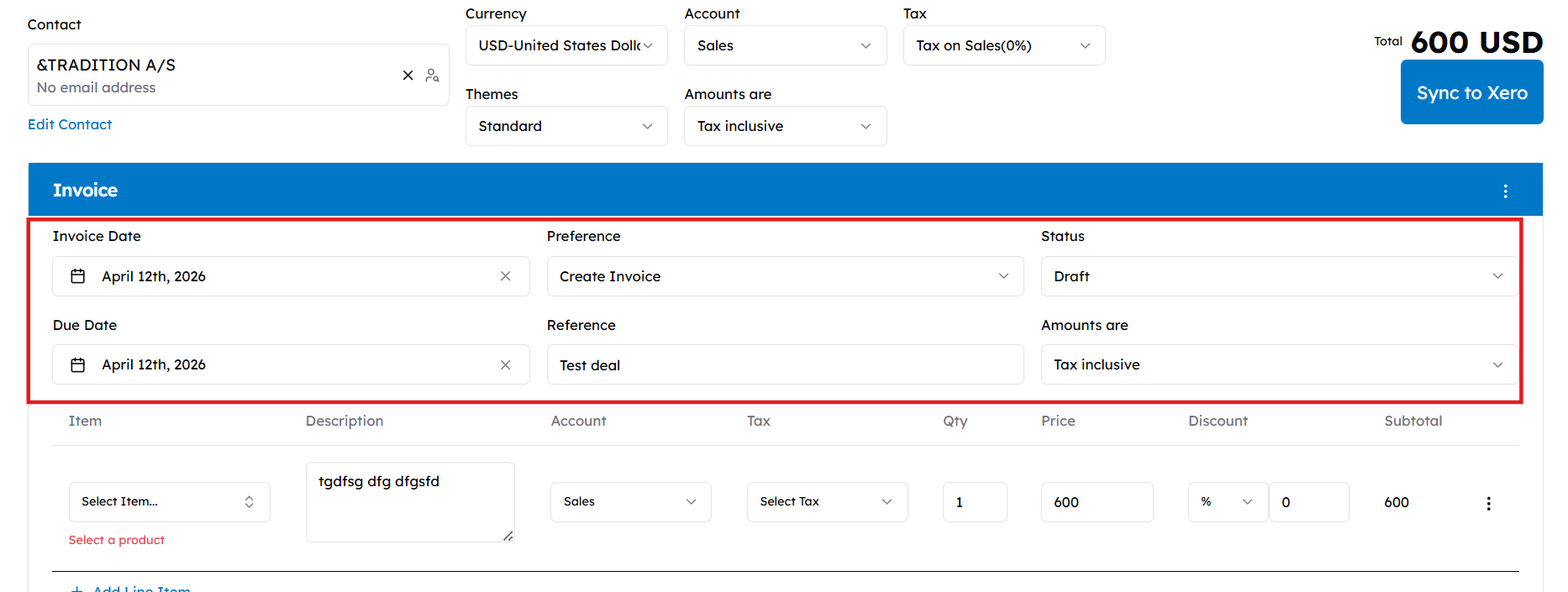
4
Add products
Click + Add Line Item to include products in your draft. To adjust specific item settings, click Customize Accounts, Taxes and Amounts.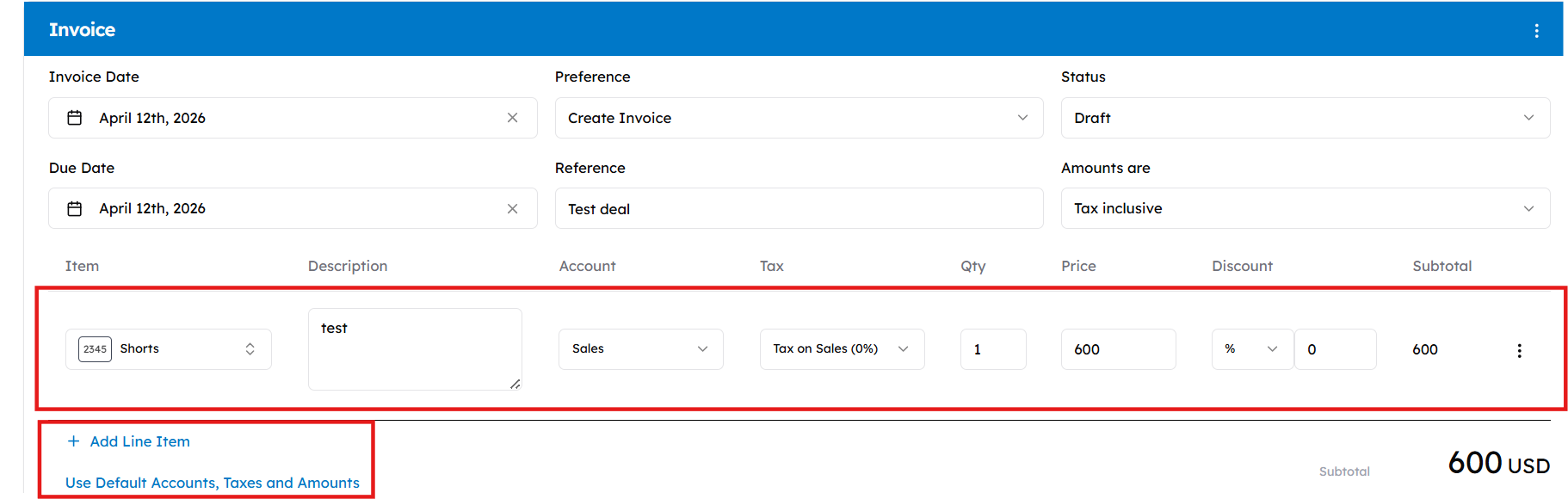

You can only use the + Add Line Item button for products that are already present in Xero.
5
Adjust the invoice (Optional)
Click the three-dots menu to Split your invoice by percentage or Duplicate it.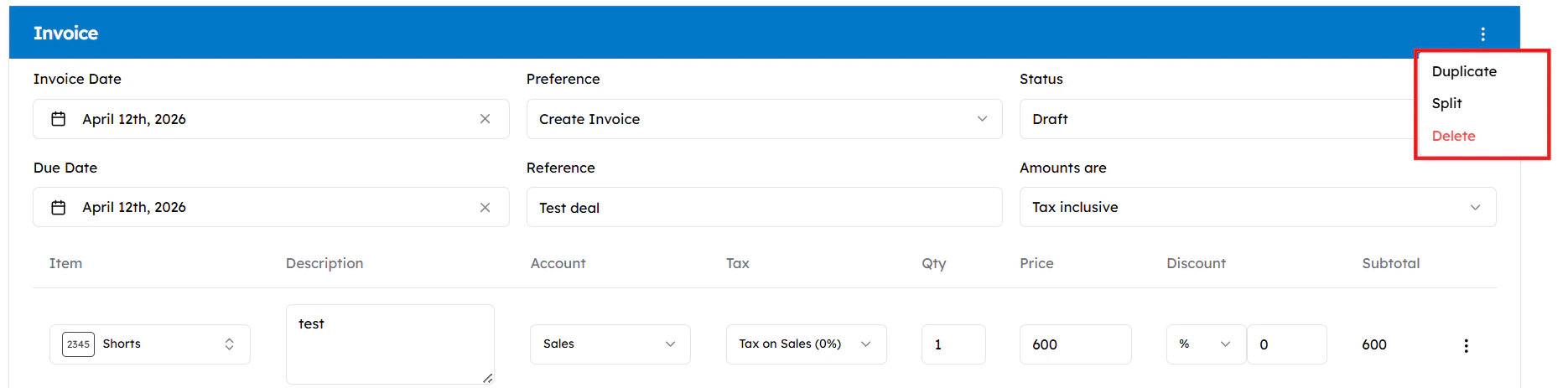

6
Finish and sync
Click Sync to push the draft to Xero. You can view the final invoice in the deal’s attachments or notes.