

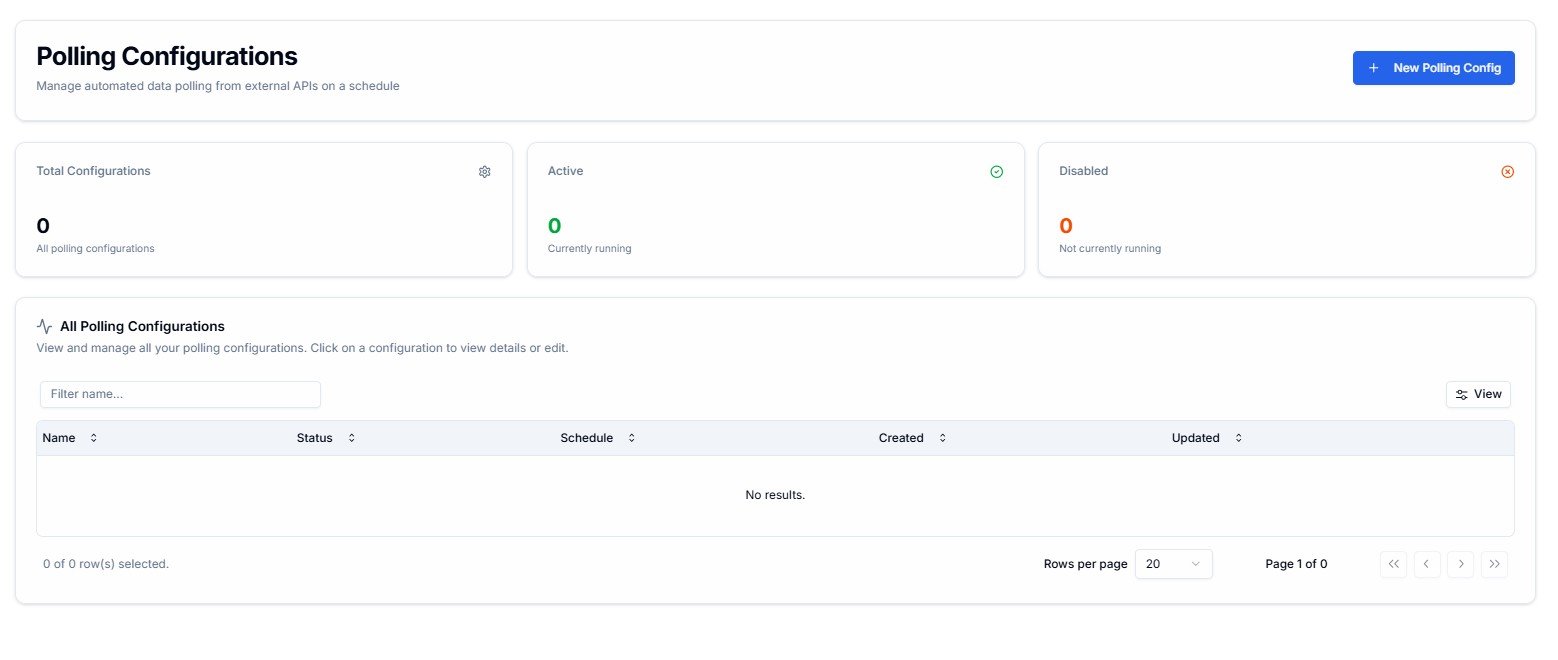
Polling Configurations — summary counters and configuration list
Use polling when your source system does not support outbound webhooks. If it can push data to Lighthouse in real time, use a webhook trigger instead — it’s more efficient.
Summary Counters
Three counters at the top show the current state of your polling configurations at a glance.Total Configurations
All polling configurations on your account — active and disabled combined.
Active
Configurations currently running on their schedule. Shown in green.
Disabled
Configurations that exist but are not currently running. Shown in orange. These will not poll until re-enabled.
All Polling Configurations
The table lists every configuration on your account. Click any row to view or edit it.
Use the Filter name… field to search by name. Click View to toggle visible columns.
Creating a New Polling Configuration
Click + New Polling Config in the top-right corner. The creation form has four sections — work through them top to bottom.1. Polling Details
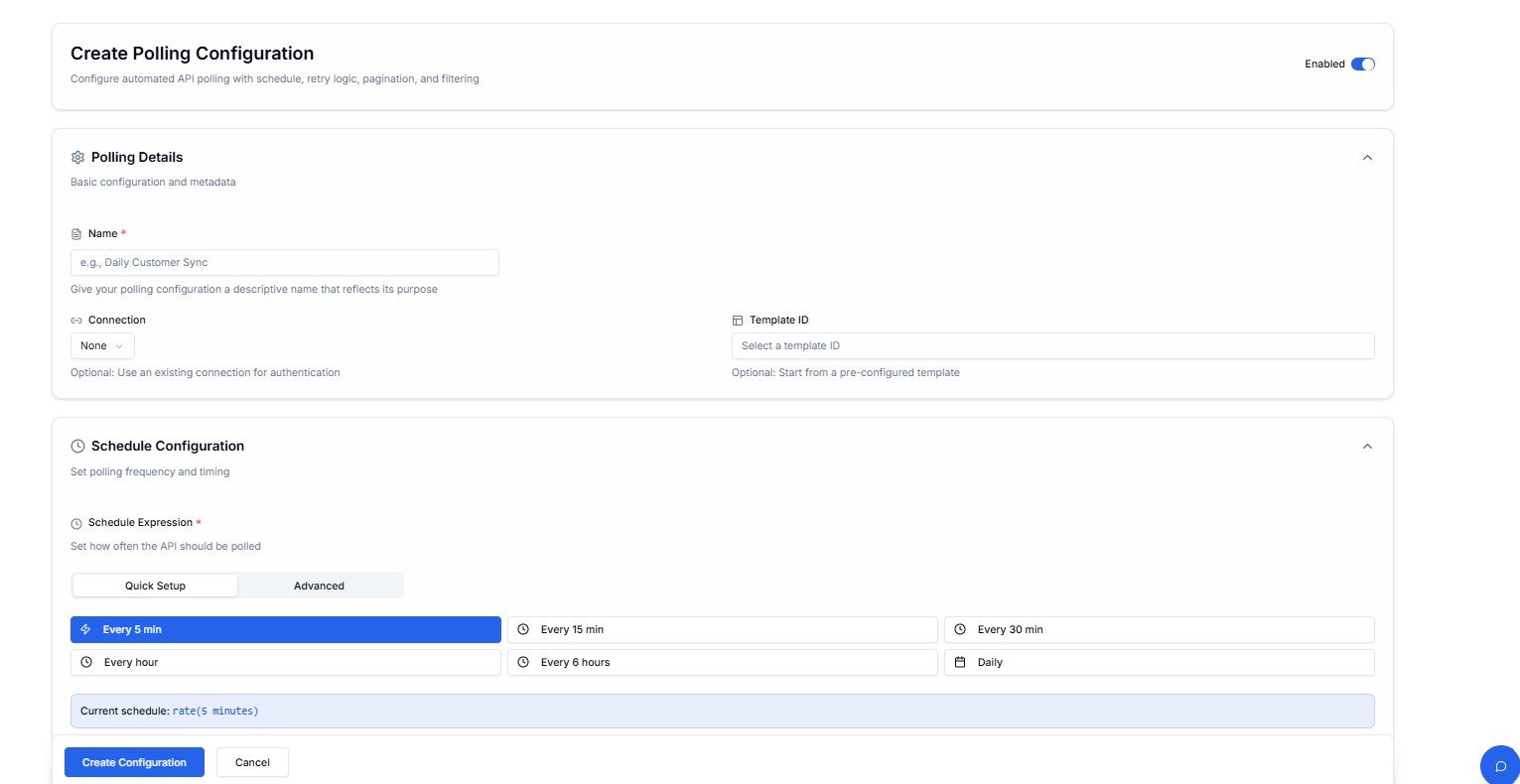
Create Polling Configuration — Polling Details section
The Enabled toggle in the top-right activates the configuration immediately after creation.
2. Schedule Configuration
Set how often Lighthouse should call the external API.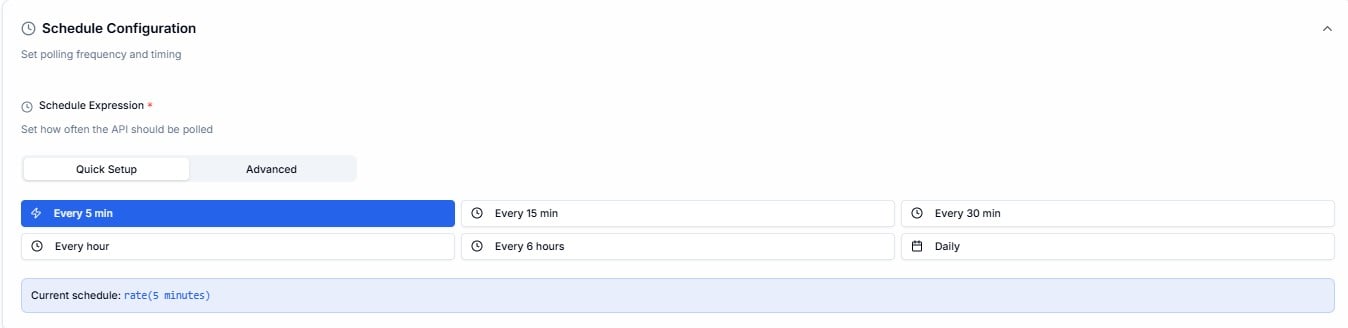
Schedule Configuration — Quick Setup with preset intervals
Quick Setup
Choose from preset intervals — Every 5 min, Every 15 min, Every 30 min, Every hour, Every 6 hours, or Daily. The current schedule expression is shown at the bottom of the panel.
Advanced
Enter a custom expression directly — supports
rate() and cron() syntax for precise scheduling.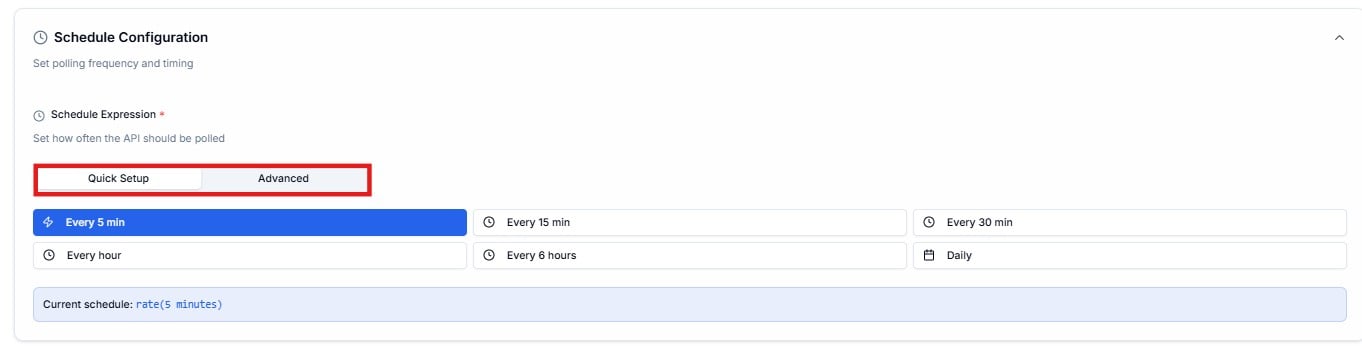
Schedule Configuration — Advanced mode with custom expression input
3. HTTP Request Configuration
Define the API endpoint Lighthouse should call on each poll.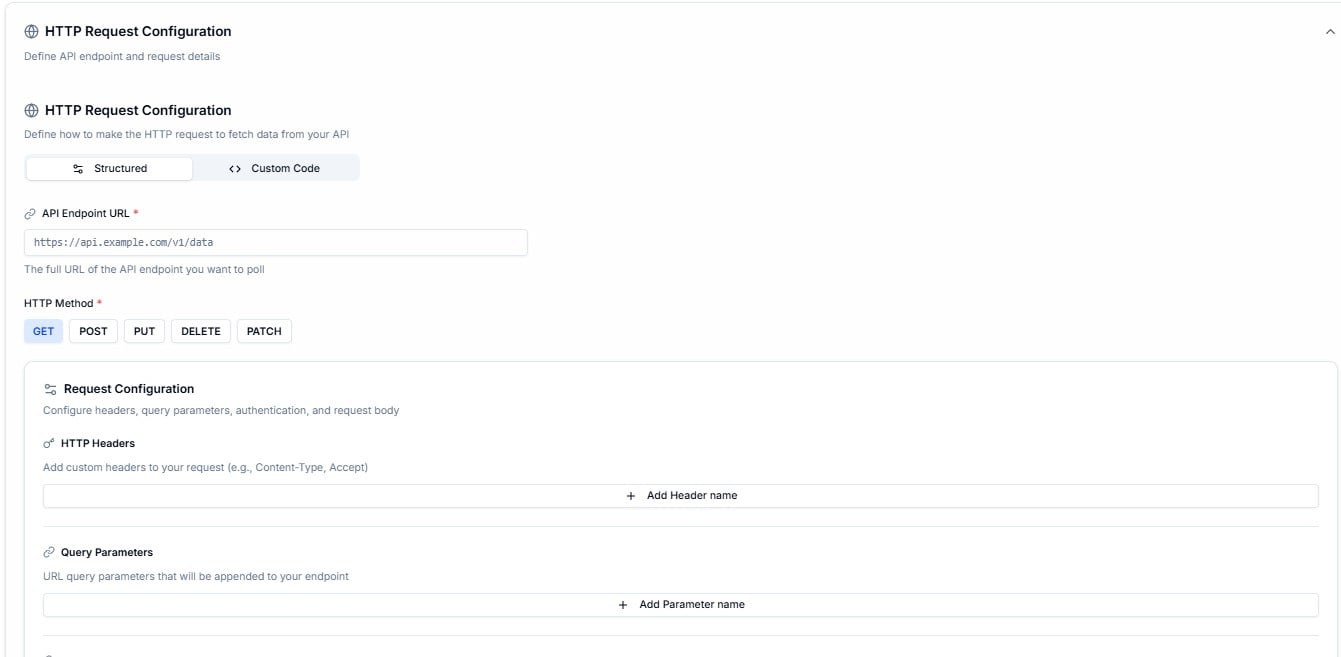
HTTP Request Configuration — Structured mode with endpoint URL and method
Structured
Fill in the endpoint URL, HTTP method, headers, query parameters, authentication, and request body using form fields.
Custom Code
Write a JavaScript handler function directly — full control over how the request is made and how the response is processed.
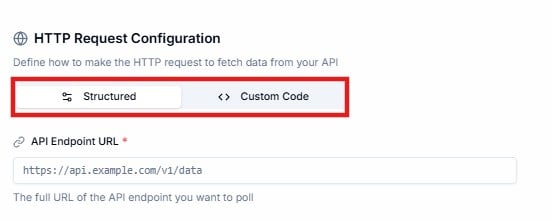
HTTP Request Configuration — Custom Code mode
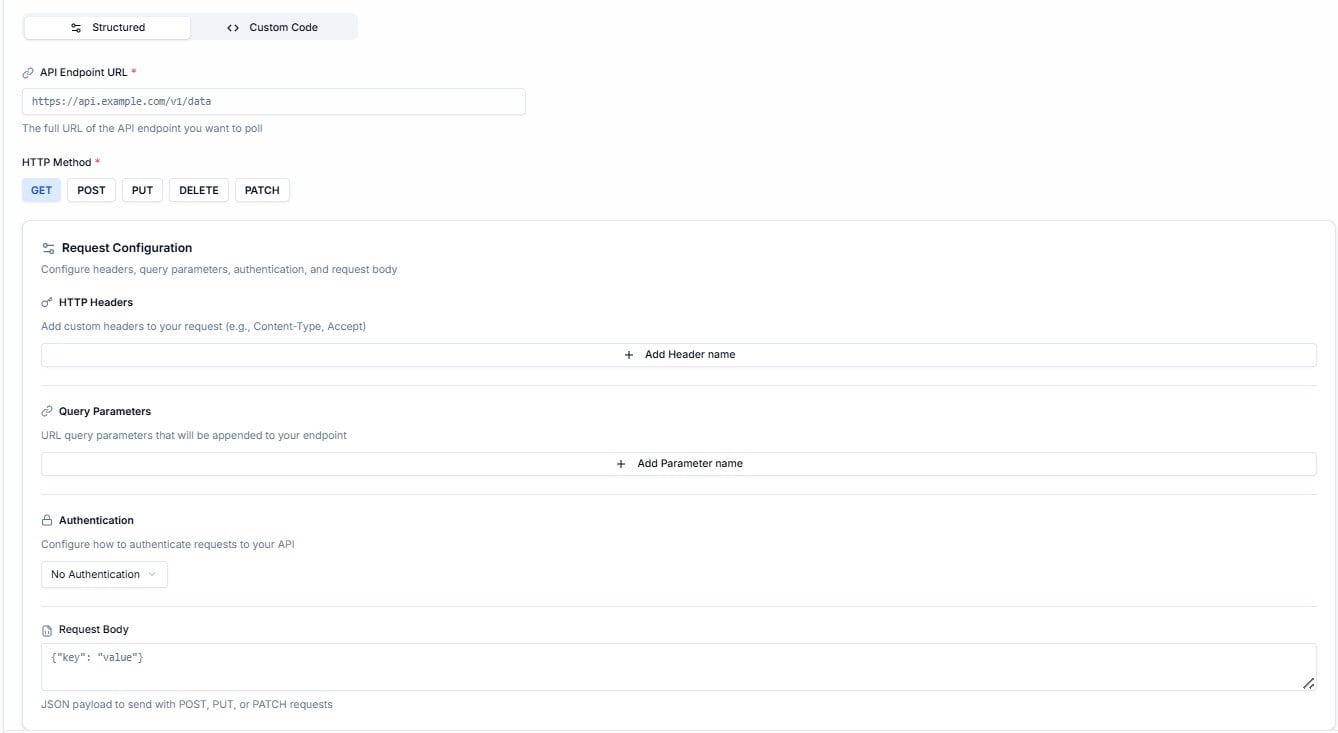
Request Configuration — headers, query parameters, authentication, and request body
4. Response Parser, Retry Logic, Pagination & Filter
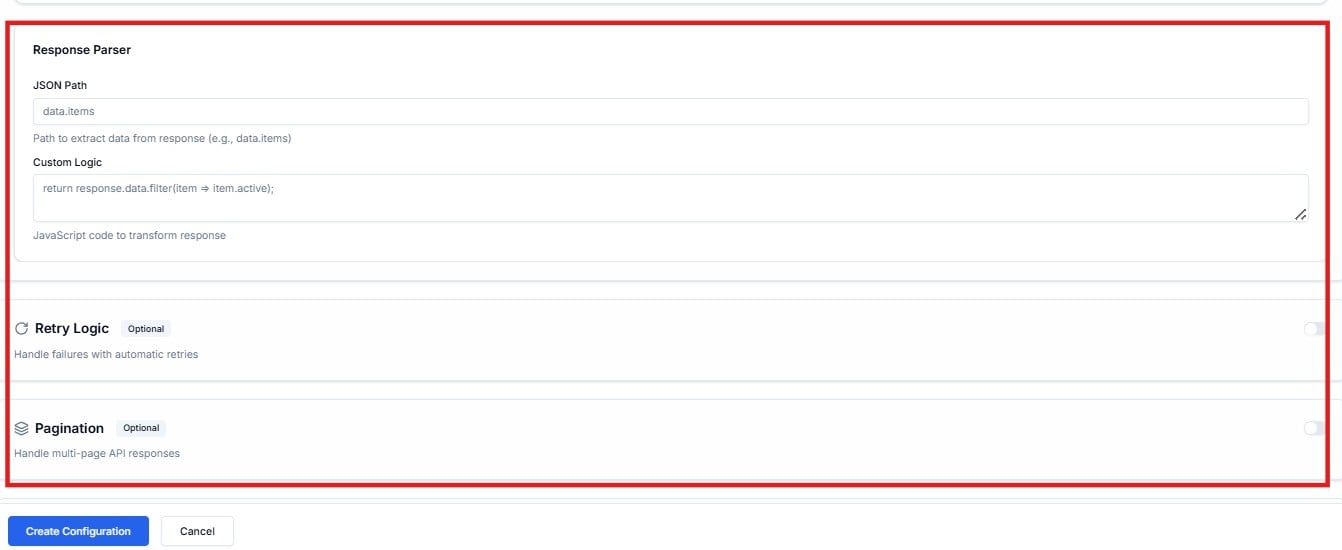
Click Create Configuration to save, or Cancel to discard.
Contact Cloudify before creating a polling configuration. Getting the endpoint URL, authentication, schedule, and response parser correct requires knowledge of your source API. Cloudify will typically configure these as part of your integration delivery.
Frequently Asked Questions
When should I use polling instead of a webhook?
When should I use polling instead of a webhook?
Use polling when your source system cannot push data to Lighthouse when something changes. If it supports webhooks, use a webhook trigger instead — it’s real-time and more efficient.
A polling configuration shows Disabled — will it still run?
A polling configuration shows Disabled — will it still run?
No. A disabled configuration will not execute until it is re-enabled. Contact Cloudify if a configuration is unexpectedly disabled.
What is the difference between Quick Setup and Advanced scheduling?
What is the difference between Quick Setup and Advanced scheduling?
Quick Setup gives you six preset intervals in one click. Advanced lets you write a custom
rate() or cron() expression for precise timing — for example, running only on weekdays at a specific time.What is the Incremental Polling Filter for?
What is the Incremental Polling Filter for?
It ensures only new or updated records are processed on each poll — so if your API returns 1,000 records but only 5 are new, only those 5 are passed downstream. This prevents duplicate processing.
How do I check what events a polling configuration has generated?
How do I check what events a polling configuration has generated?
Go to Flows Events and filter by Type → polling. This shows all events generated by polling triggers with their delivery status and attempt history.